GPS Time Clock App
Right place, right time, every time.
Know that every shift, break, and overtime is actually clocked at work
with our GPS clock-in app.
G2 Leader for Small Business Time and Attendance, Fall 2026

Capterra Shortlist for Time Clock Software, 2026

Software Advice Front Runner for Time Clock Software, 2026

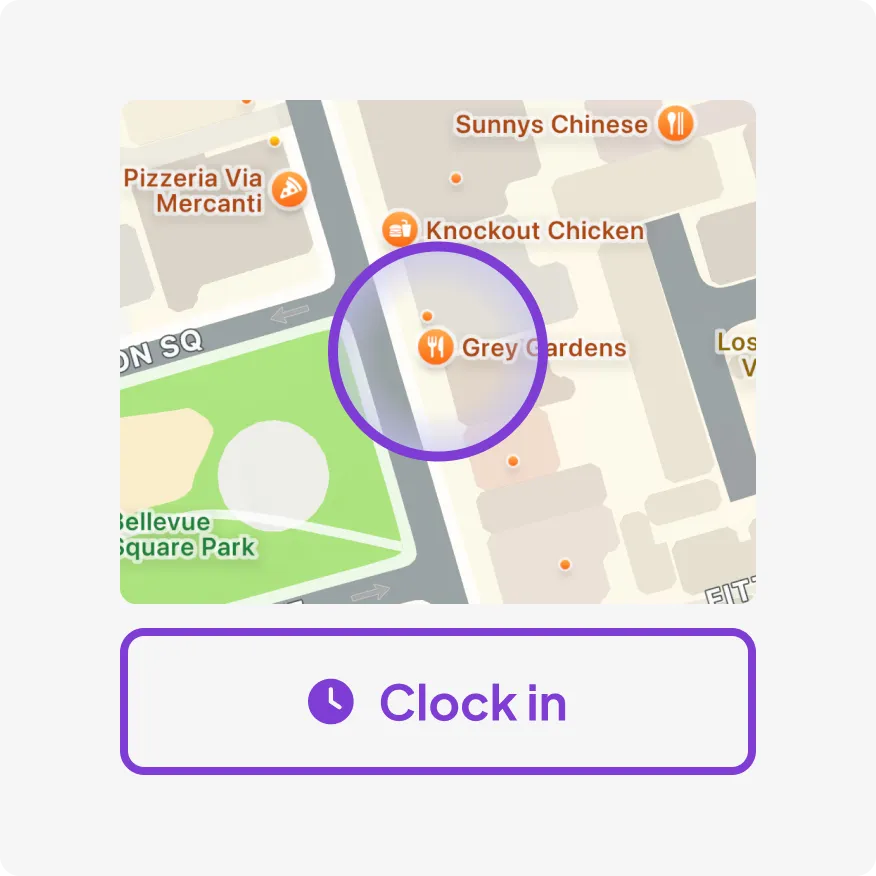
Keep your team in sight, whether off-site or on-site.

Validate clock-ins.
Prevent time theft and early clock-ins with GPS location.

Stop buddy punching.
Set up PINs and photo capture to verify who’s clocking in.

Stay compliant.
See edit history, breaks waived, and overtime on location-verified time cards.
Stop time theft with GPS time tracking.

Sign up in 5 minutes
Employee time clock app with GPS
How GPS clock-ins work with Homebase
Enable the mobile time clock
Go to Settings, then Time Clock Options, and turn on the Mobile Time Clock to capture a GPS location when employees clock in and out.
Set a geofence
Choose from a 150 ft, one-block, or five-block boundary around each storefront or job site, so your team can only clock in and out while they’re at work.
Employees clock hours in app
Invite your team to download the free Homebase app to clock hours, and capture GPS location at every punch.
Block out-of-bounds clock-ins
Limit clock-ins within a set geofence with alerts for managers if employees attempt to start or end a shift outside of the defined worksite.
Verify time cards with GPS
Review the GPS locations, shift notes, and breaks on every time card and edit to fix breaks or missed punches.
Run payroll
Automatically send verified hours and approved timesheets to Homebase Payroll or export to other providers.
Geofencing time clock
See where every shift starts.
- Set a 150 ft., one-block, or five-block geofence around each storefront or jobsite for mobile clock-ins.
- Block your team from clocking in or out when they are outside of the geofence boundary.
- Managers get alerts when employees try to clock hours outside of the geofence.
- See your team’s location only when they clock in or out of their shifts and breaks, not during or outside of their shift.
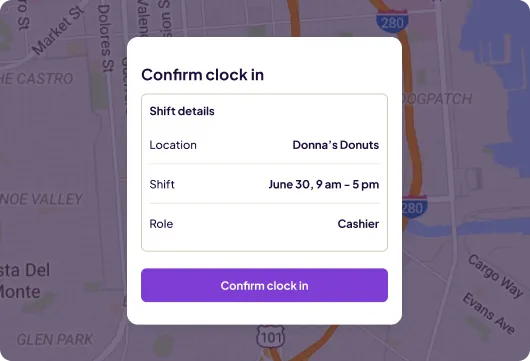
GPS Employee Time Tracking
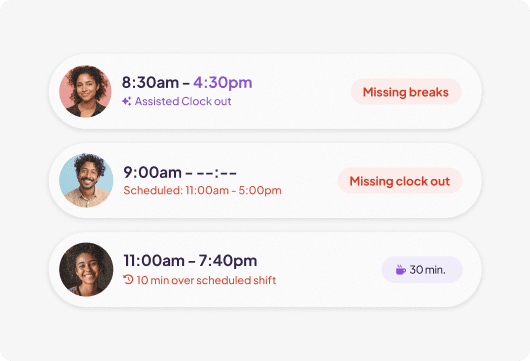
Resolve errors and verify clock-ins.
- Validate every punch with GPS location on mobile or photo capture on tablet kiosks.
- Filter time cards by day or pay period and validate hours with GPS location before they hit payroll.
- Quickly resolve forgotten clock-ins/out, missed breaks, or no-shows.
- See alerts for late clock-ins and pull attendance reports for each employee to monitor patterns.
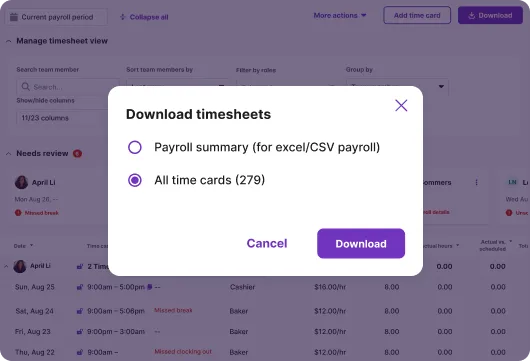
GPS Timesheets
GPS-verified timesheets, ready for error-free payroll.
- Automatically include GPS-enabled clock-ins in timesheets for payroll.
- Filter timesheets by date, team members, or groups.
- Send approved and verified hours straight to Homebase Payroll or export CSV timesheets for other payroll providers.
GPS clock-in
Built for small businesses where every minute counts.

Home and repair
Replace job site logbooks with a free mobile GPS time clock app for employees to punch in and out from their phones.
Home & repair teams
Restaurants
Set geofencing to stop early clock-ins from the parking lot, and track your delivery and catering team’s hours with our time clock with GPS tracking.
Restaurant time clock
Retail
Replace your old punch clock. Verify every clock in with a GPS time clock on your team’s phones, or with clock-in photos on a tablet kiosk.
Retail hourly teams
Multi-location businesses
Track hours for employees that work at multiple locations and set a geofence around each storefront to stop time theft as your business grows.
Multi-location team management
Beauty and wellness
Use a tablet kiosk time clock or set a geofence around your salon or spa so your employees can only clock in on their phones when they’re at work.
Beauty & wellness teams
Education and caregiving
Catch time theft and time card errors early with location-verified clock-ins that flow straight to payroll.
Education & caregiving teamsClock in and out app with GPS
Which Homebase plan includes GPS clock-in?
The time clock is free on Basic. Location-based clock-in on the mobile app starts on Essentials. Prices are per location per month, billed annually.
| Feature | Basic | Essentials | Plus | All-in-One |
|---|---|---|---|---|
| Price | $0 (1 location, up to 10 employees) | $24 / location / month for unlimited employees (billed annually) | $56 / location / month for unlimited employees (billed annually) | $96 / location / month for unlimited employees (billed annually) |
| Clock in on tablets, computers & POS devices | Included | Included | Included | Included |
| Location-based clock-in with the mobile time clock (GPS + geofence) | Not included | Included | Included | Included |
| Capture photos at clock-in on tablets & POS devices | Not included | Included | Included | Included |
| Attendance reporting & late alerts | Not included | Included | Included | Included |
| Block early clock-ins; auto clock-out at shift end | Not included | Not included | Included | Included |
| Timesheet storage | 90 days | 4+ years | 4+ years | 4+ years |
| Payroll | Available to add on | Available to add on | Available to add on | Available to add on |
“We used to have people come to work late and clock in while they were driving — until we enabled the radius on Homebase. People obviously realized that they couldn’t.”
Luxe Bites
Cherie Chua, Co-Founder & Creative Director
1.3 Billion+
Hours tracked in 2025
3.2 Million
Time card edits saved
5 Hours
saved each month on payroll tasks vs alternatives
FAQ
Mobile GPS time clocks, explained.
The everything app for hourly teams.
Spend less time wrangling logins and transferring data. Homebase comes with everything else you need to manage your team.
Top-rated app built for small business teams.
Best Payroll for Hourly Teams
2024

Best in Business for Best AI Implementation
2025

Best Employee Scheduling
2025

Best HR & Employee App
2025