Best Employee Management Software for Small Business in 2026


SMALL BUSINESS INTEL, IN YOUR INBOX
Table of contents
You published the schedule two days ago, but three people just asked if they're working this weekend. Meanwhile, you're scrambling to figure out who's about to hit overtime before payroll closes tomorrow.
The top employee management software can handle scheduling, time tracking, payroll, and team communication in one place so you can stop playing catch-up and start running your business.
The right choice depends on your team size, industry, and biggest headaches. That could be last-minute shift swaps, payroll errors, or staying compliant with labor laws. This guide breaks down the top employee management software options by what they actually do best.
Best Employee Management Software for Small Businesses at a Glance
Finding the right employee management software means matching the tool to your actual pain point. Here's the breakdown by what each one does best:
- For HR and people operations: BambooHR centralizes employee records, onboarding workflows, and benefits administration for growing teams.
- For payroll-first needs: Gusto automates tax filing, direct deposit, and benefits in one platform built for US small businesses.
- For scheduling simplicity: When I Work handles shift management and team messaging without the complexity of a full HR suite.
- For shift-heavy industries: Deputy combines demand forecasting and advanced scheduling for retail, restaurant, and hospitality teams.
- For enterprise-scale needs: Rippling unifies HR, IT, and payroll for businesses managing rapid growth or multi-state operations.
- For mobile and deskless teams: Connecteam brings GPS time clocking, scheduling, and team chat into one app built for hourly field workers.
Why Trust Homebase? Why We Built This Guide
We're Homebase. We make scheduling, time tracking, payroll, and hiring software for small businesses with hourly teams. We have a stake in this topic, so we want to be upfront about how this guide works.
Homebase isn't in the ranked list below. Every app was evaluated on its own merits. We never accept payment, free access, or backlinks in exchange for a mention or a ranking. The picks reflect what the research and user evidence actually support, not what benefits us.
Why we built this guide
Choosing employee management software is one of the more consequential decisions a small business owner makes. Get it wrong and you're paying for features you don't use, or missing the ones you need most. We built this guide because our customers ask us how we compare to other tools all the time, and they deserve a straight answer, even when that answer points somewhere else.
We cover where each tool genuinely fits, where it falls short, and who it's wrong for. If Homebase is the right fit for you, you'll find us in the "How Homebase Compares" section below the comparison table.
How We Picked Our Software for Review
We evaluated six employee management software tools against the criteria small business owners actually use to make this decision: pricing model and total cost at different team sizes, free tier availability and limits, scheduling and time tracking capabilities, payroll integration or native payroll, mobile app quality, and G2 and Capterra ratings weighted by review volume.
Each app was assessed through a combination of firsthand product walkthroughs, verified third-party review data from G2 and Capterra, and current pricing confirmed against each vendor's live pricing page. Anything that couldn't be independently verified was cut.
We ranked tools by how well they serve the core audience for this query: small business owners managing hourly or shift-based teams who need to get scheduling, time tracking, and payroll working together without a dedicated HR department.
For the full breakdown of how we evaluate employee management software, including what we weigh most heavily and what we don't consider, see our methodology page.
Quick Comparison of Employee Management Software
Top 3 employee management software for small businesses compared by starting price, free tier, best for, payroll, and key integrations
| Software | Starting Price | Free Tier | Best For | Native Payroll | Key Integrations |
|---|---|---|---|---|---|
| BambooHRHR-focused | $250 per month (up to 25 employees) | ✗Free trial only | Growing teams that need centralized HR records, onboarding, and benefits administration | Add-on | Slack, QuickBooks, Google Workspace, Greenhouse, Indeed |
| GustoPayroll-first | $49 per month + $6/employee | ✗Free trial only | US small businesses that want automated payroll, tax filing, and benefits in one place | ✓ | QuickBooks, Xero, FreshBooks, When I Work, Deputy, Clover |
| When I WorkScheduling-first | $2.50 per user/month (single location) | ✗Free trial only | Small teams that need clean, simple shift scheduling without a full HR suite | ✗ | Gusto, ADP, QuickBooks, Paychex, Square |
How Homebase Compares
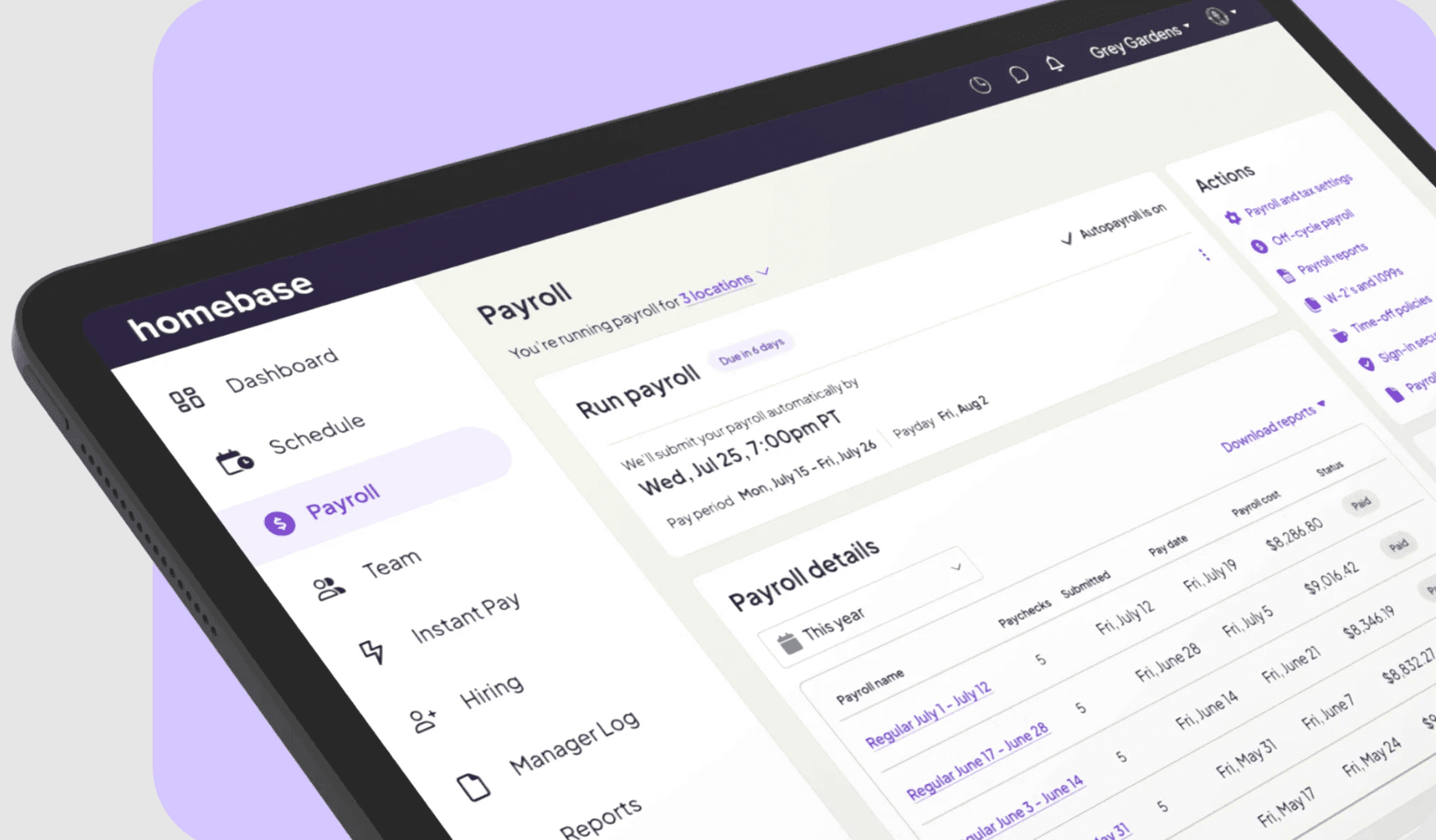
Publisher note: We're Homebase. The following is not part of the ranked list above.
Homebase is built specifically for small businesses with hourly teams. Where BambooHR focuses on HR records and people operations, and Gusto leads with payroll, Homebase is designed to connect scheduling, time tracking, and payroll in a single workflow so nothing falls through the gaps between tools.
Starting price: Free for one location, up to 10 employees. Paid plans start at $24/month per location (billed annually).
Free tier: Yes. Scheduling and time tracking included at no cost for one location with up to 10 employees. No credit card required, no expiration date.
Best for: Small businesses with hourly or shift-based teams who need scheduling, time tracking, and payroll working together without a dedicated HR department.
Native payroll: Yes, as a paid add-on at $49/month + $6/employee.
Key integrations: Square, Toast, Clover, Shopify, QuickBooks, Gusto, ADP, Paychex, Indeed, Lightspeed.
Where Homebase falls short: performance management features are basic, and businesses that primarily need HR records, benefits administration, or enterprise-level compliance tools will find BambooHR or Rippling a better fit.
What Is Employee Management Software?
Employee management software handles the daily tasks of running a team — scheduling shifts, tracking hours, managing payroll, and keeping everyone on the same page. Instead of bouncing between spreadsheets, paper timecards, and separate apps, you get one place to manage it all.
Core features for small businesses with hourly workers:
- Employee scheduling and shift management
- Time clocks and attendance tracking
- Payroll processing and tax calculations
- Team communication and messaging
- Onboarding and document storage
Small businesses with 5 to 100 hourly employees get the most value. If you're running a restaurant, retail shop, salon, clinic, construction crew, or service business, you're dealing with shift work, variable hours, and tight labor budgets — that's exactly what employee management software solves.
Employee Management Software vs. Workforce Management Software
You'll see both terms used interchangeably, and for small businesses, they basically mean the same thing.
The difference that matters: Scale and complexity. Enterprise workforce management systems come loaded with advanced forecasting and multi-level approvals. Small business employee management software focuses on speed and simplicity — build a schedule in minutes, not hours.
For hourly teams at small businesses, you need tools that combine scheduling, time tracking, and payroll without requiring a training manual.
What Features Should Top Employee Management Software Include?
The best employee management software for small businesses includes core operational features that save you time every single day:
Scheduling and shift management
Build schedules in minutes with drag-and-drop simplicity and reusable templates. Your team gets instant notifications when you publish updates. Look for availability tracking so you're not scheduling someone who requested time off, shift swaps that let your team coordinate their own coverage, and conflict warnings that catch double-bookings before they happen.
Time tracking and attendance
Your team clocks in from their phones with GPS verification and photo capture — no more buddy punching. Automatic break tracking keeps you compliant with labor laws without playing timekeeper. Overtime alerts give you a heads up before someone hits 40 hours. Timesheets generate automatically, which means no more manual entry or math mistakes.
Payroll and tax support
Timesheets flow directly to payroll without retyping a single hour. Automatic tax calculations handle federal, state, and local withholding so you're not Googling tax rates at midnight. Direct deposit gets money into your team's accounts on time, every time. Tip management tracks and distributes gratuities fairly without spreadsheet gymnastics.
Team communication
Built-in messaging keeps work conversations separate from personal texts. Add shift notes with specific instructions directly to the schedule. Read receipts show you when team members have actually seen important announcements, so no more "I didn't see that" excuses.
Hiring and onboarding
Post jobs to multiple boards with one click and track applicants through your interview process. Digital offer letters and e-signatures get new hires set up before their first day. Document storage keeps I-9s, W-4s, and employee handbooks organized for audits instead of stuffed in a filing cabinet somewhere.
Compliance and labor law tools
Break reminders notify employees when they're due for a meal or rest period based on your state's rules. Overtime tracking flags when someone's approaching threshold hours. Labor law alerts keep you updated when regulations change. Record retention stores timecards and payroll data securely for years. You never know when you'll need them.
Top Employee Management Software in 2026
The right employee management software depends on what's actually breaking down in your business right now. We evaluated six tools on pricing, free tier limits, scheduling and time tracking capabilities, payroll integration, mobile app quality, and verified G2 and Capterra ratings. Here's how they stack up.
1. BambooHR — Best HR-focused employee management system.
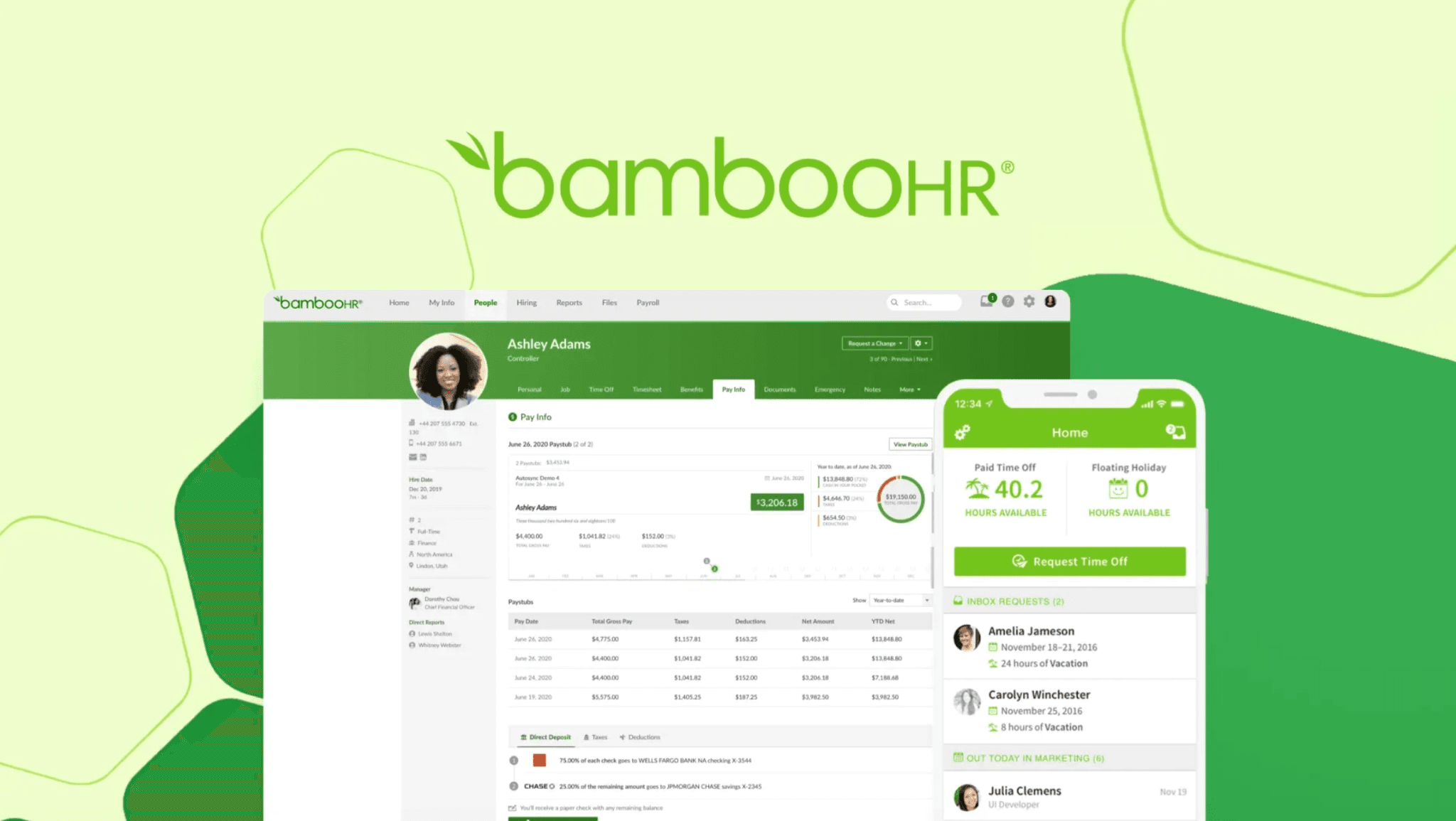
BambooHR is an HR platform built for small to midsize businesses that have outgrown basic time tracking and need a single place to manage employee records, onboarding, and benefits. It's not a scheduling tool — it's a people operations hub for teams that are starting to formalize their HR processes.
Key features:
- Centralized employee database with custom fields
- Benefits enrollment and administration
- Onboarding workflows with task assignments
- Time-off tracking with approval workflows
- Applicant tracking system for hiring
Pricing: $250/month flat rate for teams up to 25 employees. Switches to per-employee pricing ($12–$22/employee/month) for larger teams. Payroll and time tracking are add-on modules, not included in base pricing. No permanent free tier — free trial available.
What users like: "It has significantly streamlined our HR processes and improved efficiency across the team by centralizing employee data, onboarding tasks, and documents in one place." (G2)
What users criticize: "The payroll features are not great and it is not quite as helpful as standard cloud drive solutions when attempting complex payroll automation." (G2)
Our take: BambooHR excels as a single source of truth for growing mid-sized teams that need structured onboarding and org management. Businesses looking for shift scheduling or native low-cost payroll will find themselves relying on third-party add-ons, which adds cost and complexity.
2. Gusto — Best payroll-first employee management software.
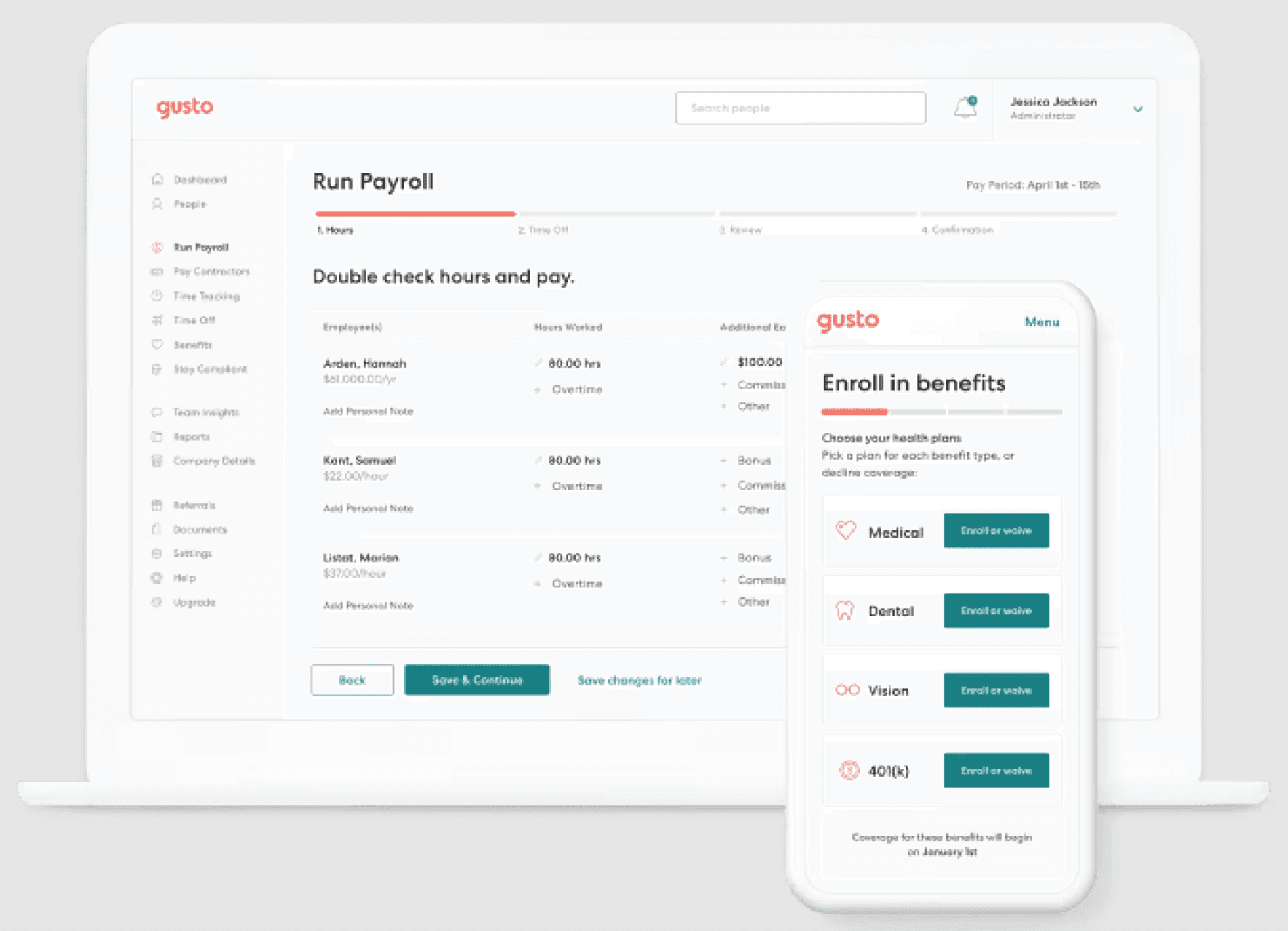
Gusto built its reputation on making payroll accurate and painless for US small businesses, then layered in time tracking, benefits administration, and onboarding tools. If payroll errors are your biggest headache, Gusto handles the math, the tax filings, and the direct deposits automatically.
Key features:
- Full-service payroll with automatic federal, state, and local tax filing
- Health insurance and 401(k) administration
- Time tracking with mobile clock-in
- PTO accrual and tracking
- Onboarding with e-signatures and I-9 verification
Pricing: Simple plan at $49/month + $6/employee/month. Plus at $80/month + $12/employee/month. Premium at $180/month + $22/employee/month. Contractor-only plan at $35/month + $6/contractor/month. No permanent free tier — free trial available.
What users like: "As someone at a small company, Gusto makes the boring HR stuff painless. Requesting PTO takes a couple of clicks and all our company documents are stored in one spot." (G2)
What users criticize: "Certain advanced features require upgrading to higher-tier plans, which can quickly drive up monthly costs as your team scales." (Capterra)
Our take: Gusto remains the gold standard for US-based small businesses that want automated payroll and tax filing without administrative headaches. Its interface is intuitive, though rapid team growth can lead to tier-pricing jumps that catch owners off guard.
3. When I Work — Best scheduling-first employee management app.
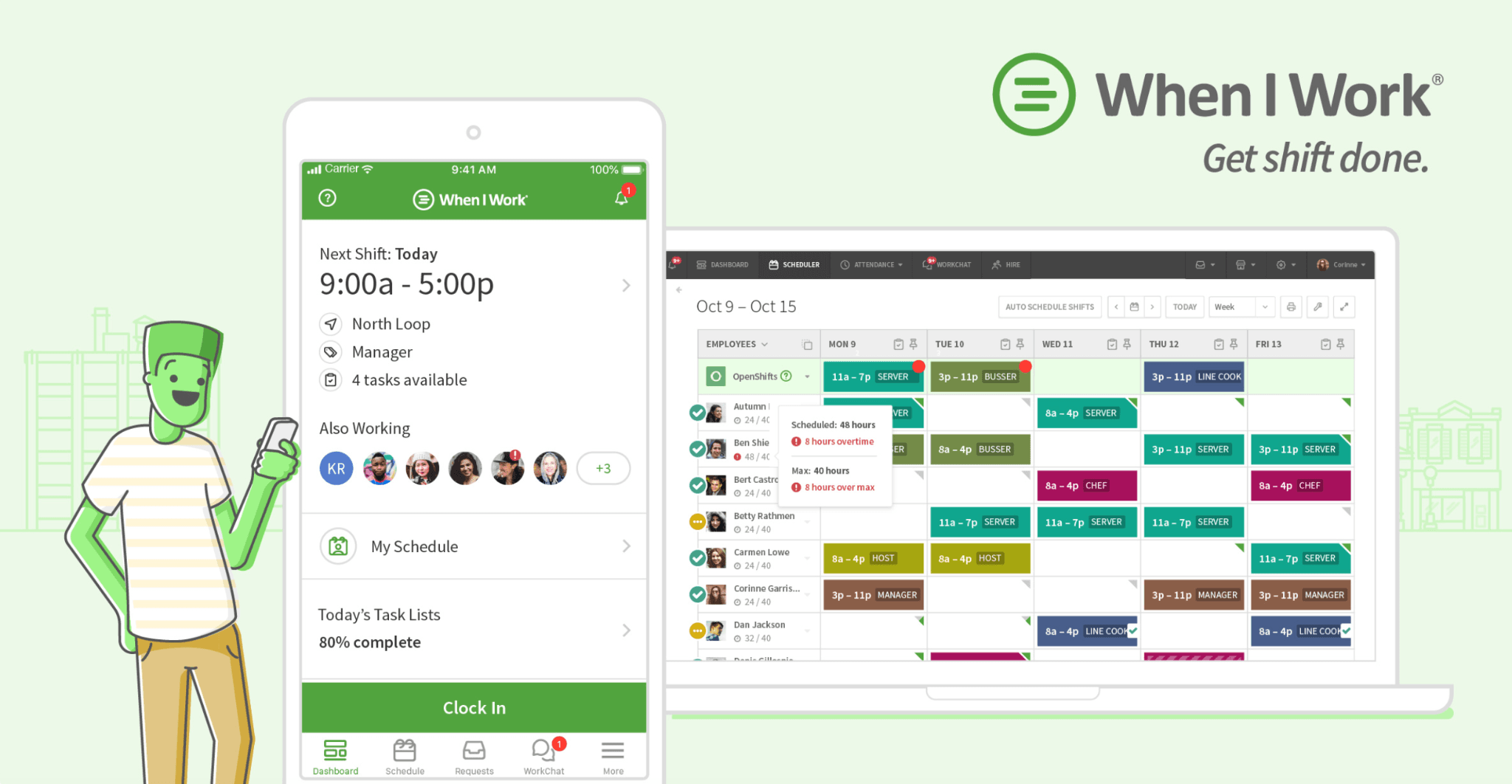
When I Work does one thing better than almost anything else on this list: shift scheduling. If your primary pain point is building and communicating the weekly schedule, and you don't need payroll or deep HR tools baked in, When I Work delivers a clean, focused experience that your team will actually use.
Key features:
- Shift scheduling with drag-and-drop interface
- Schedule templates for recurring shifts
- Team messaging and announcements
- Time clock with mobile app
- Shift swapping with manager approval
Pricing: Single location at $2.50/user/month. Multiple locations at $5.00/user/month. Enterprise pricing available on request. No permanent free tier — free trial available.
What users like: "Being able to build schedules, see staff availability, post open shifts, and allow staff to pick up available shifts naturally saves a massive amount of time." (G2)
What users criticize: "The shift-drop process can be confusing for staff who assume offering a shift immediately releases them from responsibility before coverage is confirmed." (Capterra)
Our take: When I Work is a reliable hourly scheduling engine that eliminates shift-management back-and-forth. It lacks a free tier and deep HR capabilities, but its dedicated scheduling tools complement standalone payroll platforms well for teams that don't need everything in one place.
4. Deputy — Best workforce management software for shift-based teams.
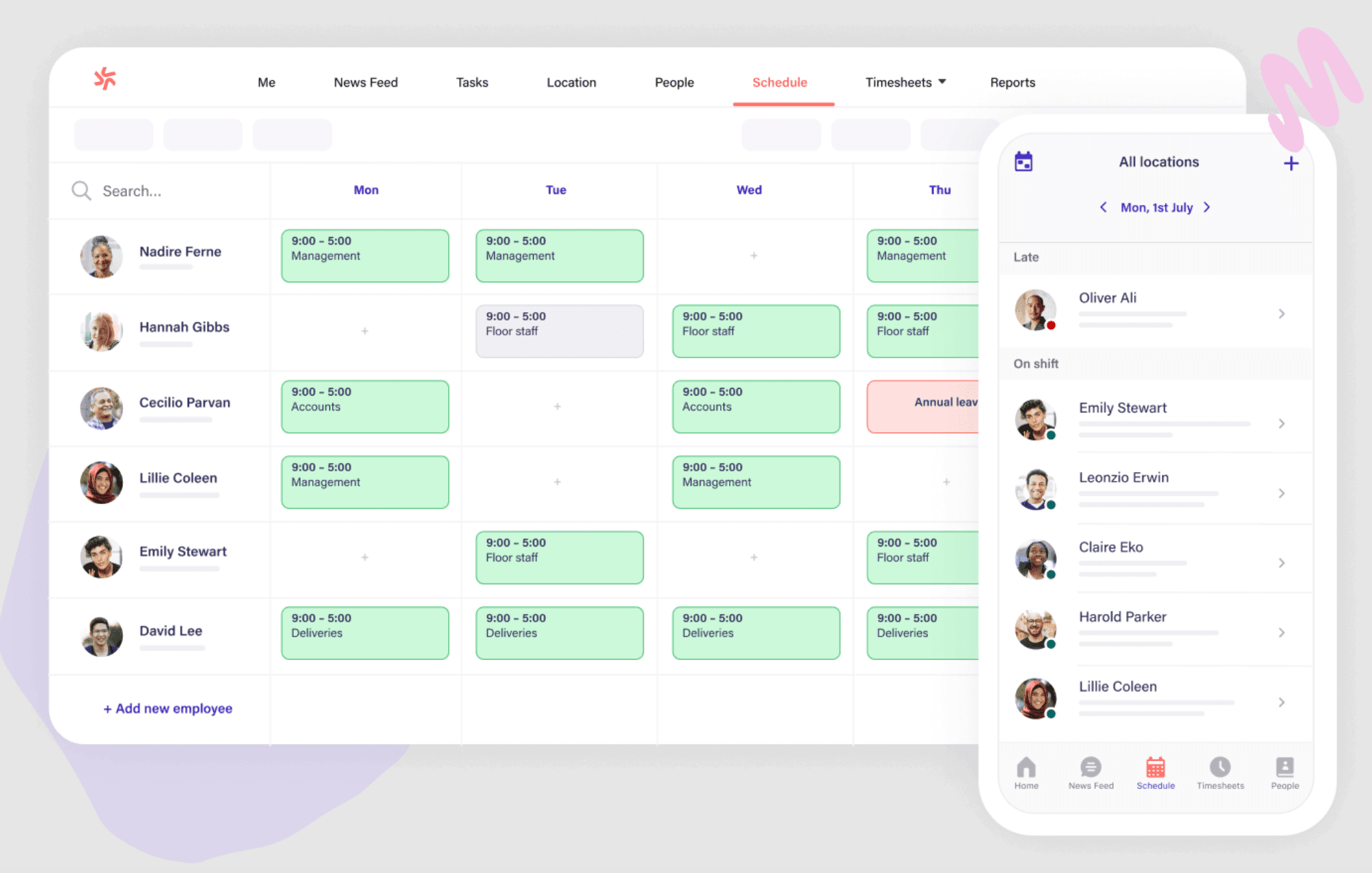
Deputy brings advanced scheduling with demand forecasting and auto-scheduling based on sales patterns. Retail stores, restaurants, and hospitality businesses with complex, high-volume scheduling get the most value — particularly those that need labor cost optimization alongside compliance tools.
Key features:
- Advanced scheduling with demand-based recommendations
- Time and attendance with kiosk mode
- Task management and checklists
- Labor cost optimization tools
- POS integrations for sales data
Pricing: Lite plan at $5.00/user/month. Core at $6.50/user/month. Pro at $9.00/user/month. Modular add-ons available: HR ($2/user/month), Messaging+ ($1.95/user/month), Analytics+ ($1.50/user/month). Enterprise pricing on request. No permanent free tier — free trial available.
What users like: "Deputy makes workforce management efficient. When building rosters, I can immediately see blocked-out time, and employees can swap shifts without messaging me directly." (G2)
What users criticize: "Managing breaks and leave balances can feel confusing, with occasional data glitches when employees submit leave with zero pending hours." (Capterra)
Our take: Deputy is ideal for shift-heavy industries like retail and hospitality that need demand forecasting and overtime compliance tools. Its modular add-on structure means total cost scales fast if you need the full HR feature set — budget accordingly before committing.
5. Rippling — Best for fast-growing teams that need HR and IT in one place.
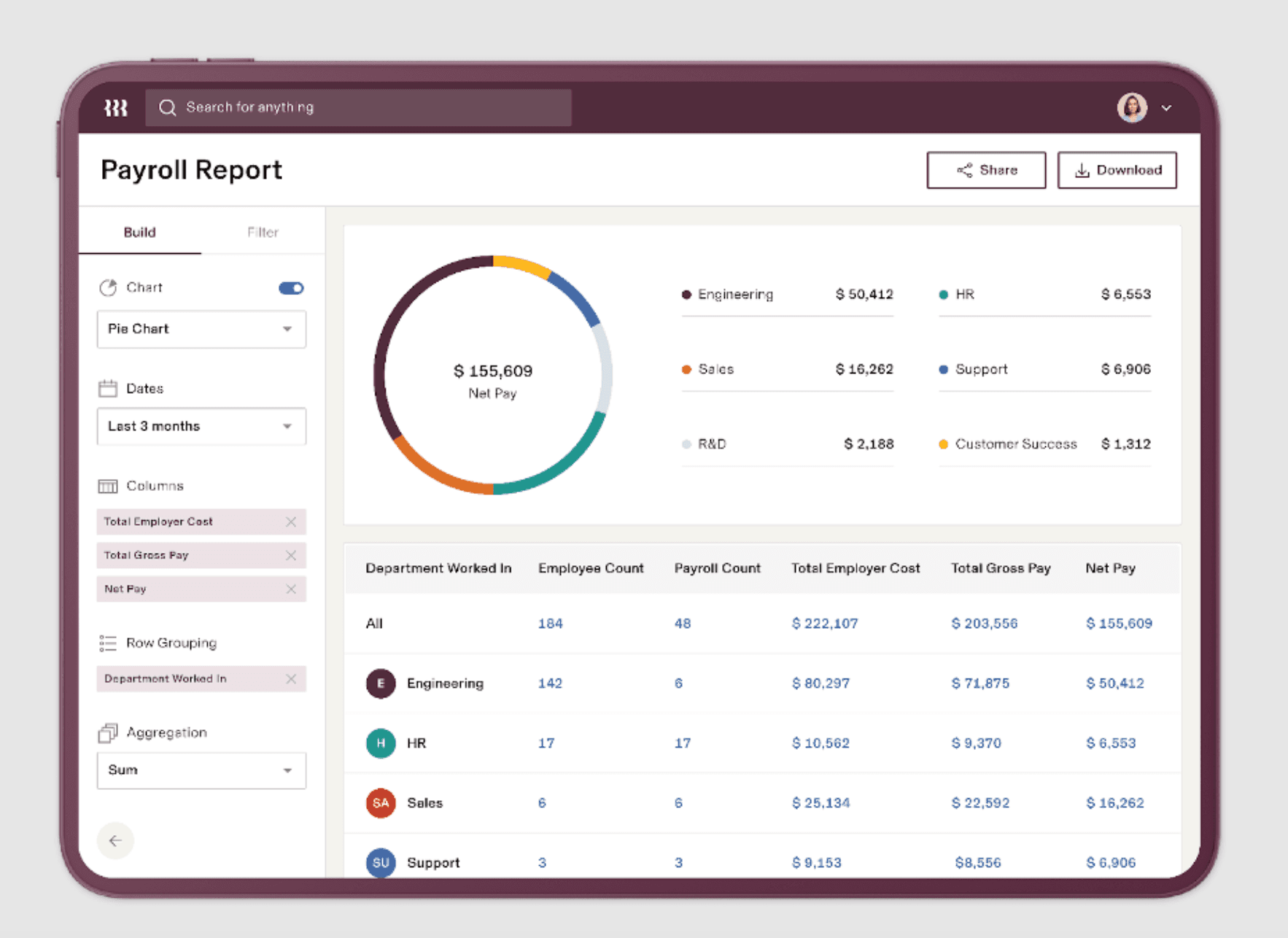
Rippling combines HR, IT, and finance management in one platform. If you're scaling fast, managing remote or multi-state teams, or need to provision employee devices and software access alongside payroll, Rippling handles a level of complexity the other tools on this list aren't built for.
Key features:
- Unified HR and IT management
- Payroll across all 50 states and internationally
- Benefits administration with carrier integrations
- Device and app provisioning for new hires
- Time tracking and scheduling
Pricing: Core Unity Platform starts at $8/employee/month. Payroll and specialized modules operate on a base fee of $35/month plus modular add-ons. Real-world HR and payroll implementations typically run $15–$25/employee/month depending on modules selected. Custom quotes required. No permanent free tier.
What users like: "Rippling makes work easier by consolidating HR, IT, and administrative tools into one single platform that requires minimal training to navigate." (G2)
What users criticize: "The pricing model can quickly become expensive as you add modules, and custom quotes make predicting true total costs challenging." (Capterra)
Our take: Rippling is an enterprise-ready platform capable of managing global workforces, IT hardware, and app permissions alongside HR. Its modular pricing makes it over-engineered and costly for local hourly teams on a strict budget — it's the right pick when you've outgrown small business tools, not when you're still running one.
6. Connecteam — Best employee management app for mobile and deskless teams.
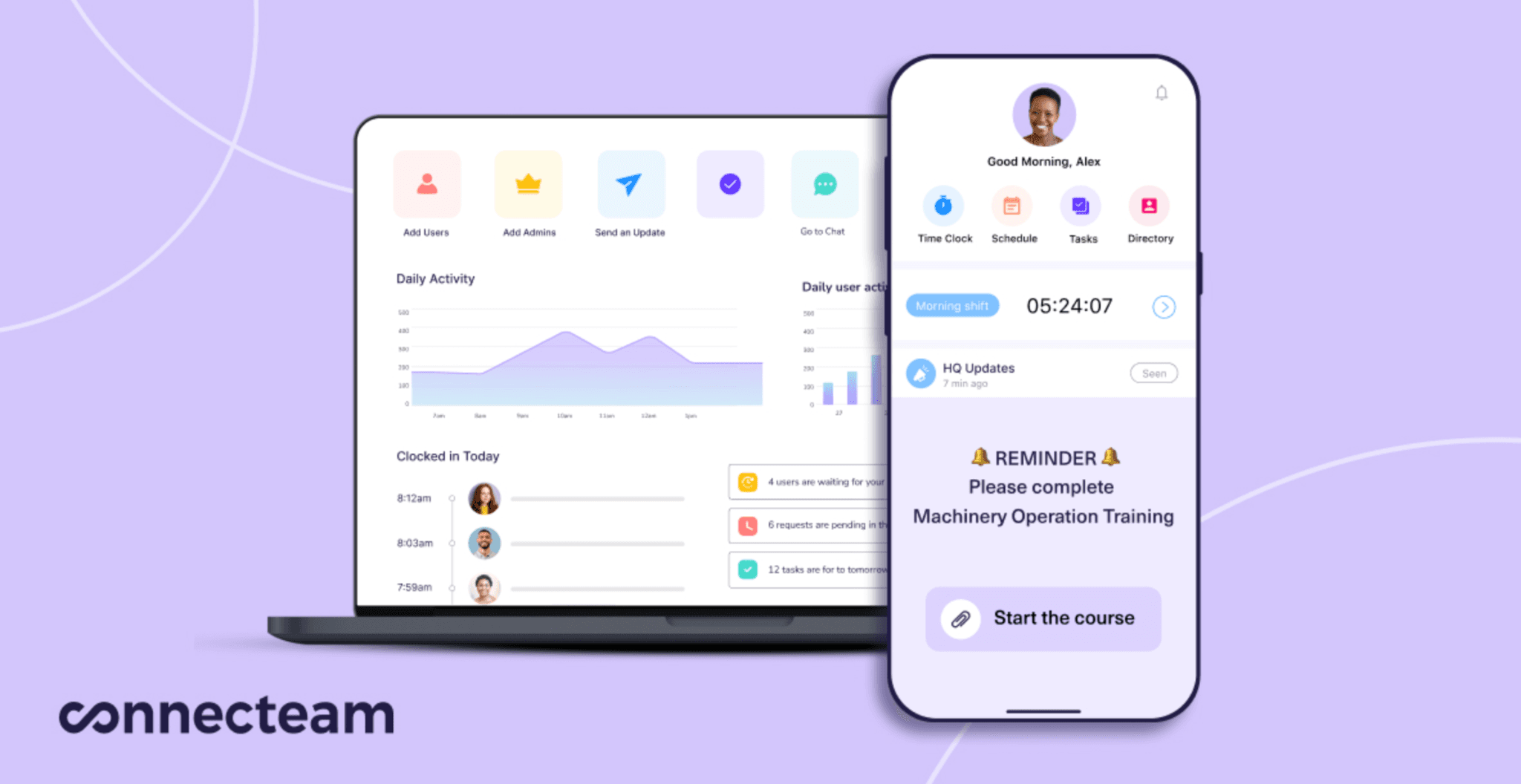
Connecteam is built specifically for non-desk, mobile, and hourly workforces. It combines GPS-geofenced time clocking, shift scheduling, task management, and team chat in one mobile-first app — making it a strong fit for field teams, cleaning crews, home services businesses, and any operation where employees are rarely at a fixed location.
Key features:
- GPS geofenced time clock with mobile clock-in
- Shift scheduling and open shift management
- Task management with checklists and forms
- In-app team messaging and announcements
- Employee training and onboarding tools
Pricing: Free forever plan for up to 10 users. Basic at $29/month for the first 30 users. Advanced at $49/month for the first 30 users. Expert at $99/month for the first 30 users. Additional users billed at $0.50–$4.20/user/month depending on plan. Connecteam's full feature set is split across three hubs (Operations, Communications, HR) — accessing all three requires separate plan purchases.
What users like: "An intuitive platform for frontline workers. Combining time clocking, shift scheduling, and team chats in one app makes running field teams effortless." (Capterra)
What users criticize: "Because pricing is split into separate hubs (Operations, Comms, HR), buying the full suite across all three hubs can get expensive for mid-sized teams." (G2)
Our take: Connecteam is a standout pick for mobile, deskless, and field teams that need communication alongside shift management. Its free plan for up to 10 users delivers strong value, provided you factor in hub add-on costs before assuming the advertised price covers everything you need.
How to Choose the Right Employee Management Software
Choosing the best employee management software comes down to four questions.
What's your biggest operational headache right now?
Start there, not with feature lists. Spending every Sunday rebuilding the schedule from scratch points you toward When I Work or Deputy. Payroll errors costing you time and money points you toward Gusto. Onboarding chaos and scattered employee records points you toward BambooHR. Your worst problem tells you exactly which category of tool to prioritize first.
How is your team structured?
Hourly and shift-based teams need scheduling and time tracking that works on a phone, not performance review templates. If you're running multiple locations, you need reporting that rolls everything up in one place. Tools built for 5–20 employees often break down at 50 — check whether the pricing model and feature set scale with you before committing.
What does this actually cost at your team size?
Per-employee pricing adds up fast. A tool that looks affordable at 10 people can double in cost when you hire five more. Flat per-location pricing keeps costs predictable as you grow. Free plans can cover basic needs, but check what's actually included — scheduling-only free tiers won't help if your real problem is payroll.
Will your team actually use it?
The most capable software is worthless if your employees won't clock in with it. Before committing, run a free trial with actual team members — hand it to your least tech-savvy employee and watch them try to clock in and check their schedule. If they struggle, keep looking.
FAQs About Employee Management Software
What is employee management software?
Employee management software handles scheduling, time tracking, payroll, and team communication in one place, replacing spreadsheets and paper timecards with automated systems. For hourly teams, look for drag-and-drop scheduling, mobile time clocks, payroll integration, and built-in messaging that keeps work conversations separate from personal texts.
What features should employee management software include?
Essential features include scheduling with shift templates, mobile time tracking with GPS verification, payroll processing with automatic tax calculations, team communication tools, and digital onboarding. Start with whatever's causing your biggest headache right now. Retail and restaurant businesses typically prioritize scheduling and time tracking first. Growing companies beyond 20 employees often need stronger onboarding workflows and centralized employee records to stay organized.
What is the best employee management software for small businesses?
The best option depends on your team size, industry, biggest challenges, and budget. BambooHR is the strongest pick for teams that need centralized HR records and structured onboarding. Gusto leads on payroll accuracy and benefits administration. When I Work is the cleanest option if scheduling is your only immediate need. Deputy fits shift-heavy operations in retail and hospitality. Connecteam is built for mobile and field teams. Take advantage of free trials and test with your actual team before committing.
What is the best workforce management software for small businesses?
It depends on what you mean by workforce management. For scheduling and time tracking, When I Work and Deputy are the dedicated specialists. For an all-in-one approach that connects scheduling, time tracking, and payroll, look at tools built specifically for hourly teams. For HR-heavy needs, BambooHR and Rippling cover more ground. The right choice depends on whether you need one function done well or several functions connected.
What is the difference between HR software and employee management software?
HR software focuses on benefits administration, compensation management, and compliance documentation — it's designed for dedicated HR departments. Employee management software handles daily operations: scheduling shifts, tracking hours, and processing payroll for managers running the business. For small businesses with fewer than 50 employees, employee management software usually delivers more immediate value. Save the complex HRIS platforms for when you have an actual HR team to run them.
How much does employee management software cost?
Pricing ranges from free to around $12/user/month for per-user tools, or $25–$250+/month for flat-rate and per-location models. Free plans typically cover basic scheduling and time tracking with user or location caps. Mid-tier plans add payroll integration, advanced reporting, and compliance tools. Watch for hidden costs: implementation fees, per-payroll-run charges, and modular add-ons that aren't included in the advertised starting price.
How do I switch from spreadsheets to employee management software?
Start by exporting your current employee data — names, roles, pay rates, availability — into a clean spreadsheet. Most tools offer an import wizard or onboarding support to migrate that data on setup. Run the new system in parallel with your spreadsheets for one pay period before cutting over fully. Pick the one workflow that causes the most friction right now (usually scheduling or timesheet collection) and start there rather than trying to replace everything at once.
What features matter most for teams under 50 employees?
For small teams, prioritize the basics: mobile clock-in, a scheduling tool your managers can learn in an hour, and a direct connection to payroll so hours don't have to be re-entered manually. Self-service features — where employees can view their schedules, request time off, and swap shifts without calling you — save the most time at this size. Skip performance management and advanced analytics until you have the headcount to make them useful.
Find the Right Fit and Move On
The best employee management software is the one that solves your actual problem — not the one with the longest feature list or the flashiest interface.
If your team is growing and HR paperwork is piling up, BambooHR gives you the structure to manage it. If payroll accuracy keeps you up at night, Gusto handles the math and the filings so you don't have to. If scheduling is your only real pain point right now, When I Work keeps it simple. If you're running a shift-heavy operation in retail or hospitality, Deputy's demand forecasting pays for itself. If your team works in the field and is never at a desk, Connecteam was built for exactly that. And if you're scaling fast across states or countries, Rippling has the infrastructure for it.
Start with the problem that's costing you the most time this week. Pick the tool that solves it. Test it with your team before you commit. Most of the options on this list offer a free trial — use it.
