Free Time Card App: 5 Best Options for Small Business in 2026

SMALL BUSINESS INTEL, IN YOUR INBOX
Table of contents
A free time card app should do one thing well: track when your team works and get those hours into payroll without errors. That sounds simple enough, but "free" covers a wide range of plans. Some cap users at five. Some are 30-day trials wearing a free badge. Some hand you a CSV and call it a payroll integration.
This guide covers the five best free time card apps for small business with hourly teams, evaluated on free plan limits, payroll exports, and how they hold up when your team grows.
The 5 Best Free Time Card Apps for Small Business, at a Glance
The right free time card app punches your team in, calculates their hours, and hands that data to payroll without you touching a spreadsheet. The best options have permanent free plans rather than time-limited trials, and the one that fits your team depends on how many people you manage and what you do with the hours after.
Here's a quick look at the five picks:
- Clockify: Best for project-based teams; free for up to five users with unlimited projects and basic reporting.
- Jibble: Best for GPS verification; free for unlimited users with photo clock-in and location tracking.
- Connecteam: Best for field teams under 10 people; free plan includes time tracking, scheduling, and team messaging.
- OnTheClock: Best for small teams that want GPS, PTO, and payroll integrations; 30-day free trial, then $4/employee/month.
- Toggl Track: Best for simple hour logging; free for up to five users, though limited for shift-based hourly teams.

Why Trust Homebase? Our Take on Free Time Card Apps
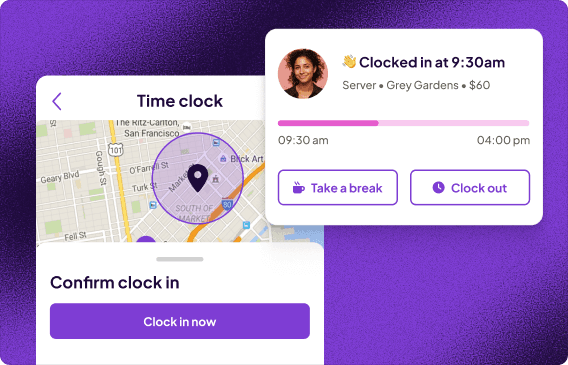
We built a time clock and timesheet tool for hourly teams, one where hours flow from clock-out to payroll without any re-entry in between. That's the problem we've watched 150,000 small business owners try to solve with spreadsheets, paper time cards, and apps that export to nothing.
Every app below was evaluated on its own merits. Homebase isn't in the ranked list, and no one paid for a spot.
How We Chose These Free Time Card Apps
We applied one filter to every free time card app before anything else: does the free plan actually stay free? No trials, no credit card requirements, and no plans that quietly lock the features you actually need behind a paywall. From there, we evaluated each app on five criteria:
- Free plan limits. How many employees, locations, and features are available without paying — and what gets cut?
- Clock-in methods. Can employees punch in from their phone, a shared kiosk, or a web browser? PIN and photo verification are a plus.
- Timesheet accuracy and manager approvals. Can a manager review and approve hours before payroll runs?
- Payroll export options. Does it export to QuickBooks, Gusto, or ADP — or just a CSV you re-enter by hand?
- Fit for hourly teams. Does it handle shift-based employees, breaks, and overtime — or was it built for freelancers logging project time?
Read our full methodology to see how we evaluate and rank these apps.
Free Time Card App Comparison: Top 3 at a Glance
Free time card app comparison across six criteria: free plan user limit, clock-in methods, GPS tracking on the free tier, timesheet approvals, payroll export options, and paid plan starting price — for Clockify, Jibble, and Connecteam.
| Clockify | Jibble | Connecteam | |
|---|---|---|---|
| Free plan user limit | Up to 5 users | Unlimited | Up to 10 users |
| Clock-in methods | Web, mobile, desktop, kiosk | Mobile, web, kiosk, Slack, Teams | Mobile, web, kiosk |
| GPS tracking (free tier) | ✗Paid only | Limited2 locations max | LimitedClock-in/out stamp only; breadcrumb tracking requires paid |
| Timesheet approvals | ✗Paid only | ✗Paid only | ✓ |
| Payroll export | PDF (free)CSV, Excel, QuickBooks on paid | CSV (free)Integrations on paid | ✗Gusto, ADP, QuickBooks on paid |
| Paid plans start at | $3.99 per user/month | $4.49 per user/month (annual) | $29 per month (30 users) |
How Homebase Compares for Free Time Card Tracking
Most free time card apps track hours. Homebase connects those hours to the schedule. When someone clocks in late or misses a shift, you see it against what you planned, not just as a raw timestamp sitting in a list. That context is what most of the apps above don't give you on a free plan.
The free plan covers up to 10 employees at one location, with no credit card required. If your team works across multiple job sites, Jibble or Connecteam are the better fits. But for a single-location shop that wants scheduling, timesheets, and team messaging all in the same app, Homebase is worth a look.
The 5 Best Free Time Card Apps for Small Business, Reviewed
1. Clockify — Best free time card app for project-based teams.
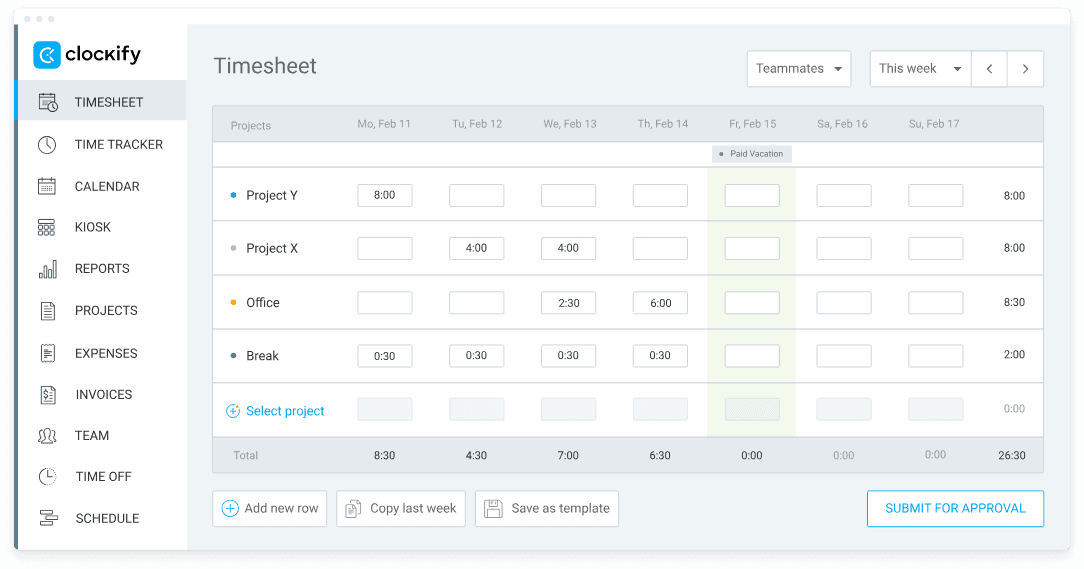
Best for: Project-based teams and service businesses tracking time across multiple clients Rating: G2 4.5/5 (200+ reviews) · Capterra 4.8/5 (9,200+ reviews)
Key features:
- Time tracking via web, desktop, mobile, and kiosk — no clock-in method gating on the free plan.
- Unlimited projects on the free plan.
- Basic reporting (billable hours reporting moved to paid tiers in April 2026).
- PDF export on the free plan; CSV and Excel exports require a paid plan.
- Integrations with 80+ tools; most require a paid plan.
Pricing: Free (up to 5 users); paid plans start at $3.99/user/month (annual).
What users like: Eric T., a managing member at an IT services firm, put it plainly in his December 2025 Capterra review: "Even at the Free level, it offers Unlimited tracking, users, projects and reports. That is pretty amazing for a free level tool."
What users criticize: The mobile experience comes up repeatedly as a weak point. Saul L., a co-CEO who uses Clockify to track 30 employees, wrote in his March 2026 Capterra review: "It seems like sometimes it will take an eternity to sync the app from my laptop to my phone." For teams that rely on mobile clock-in, that lag creates real friction before payroll.
Our take: Clockify is the right free time card app if your team tracks time by project rather than by shift. But it wasn't built for hourly employees clocking in and out of scheduled shifts. There's no scheduling, no shift reminders, and manager approvals are paywalled. The April 2026 free plan cuts also mean some features you've read about in older reviews are no longer there, so it's worth checking the current plan before you onboard your team.
2. Jibble — Best free time card app with GPS verification.
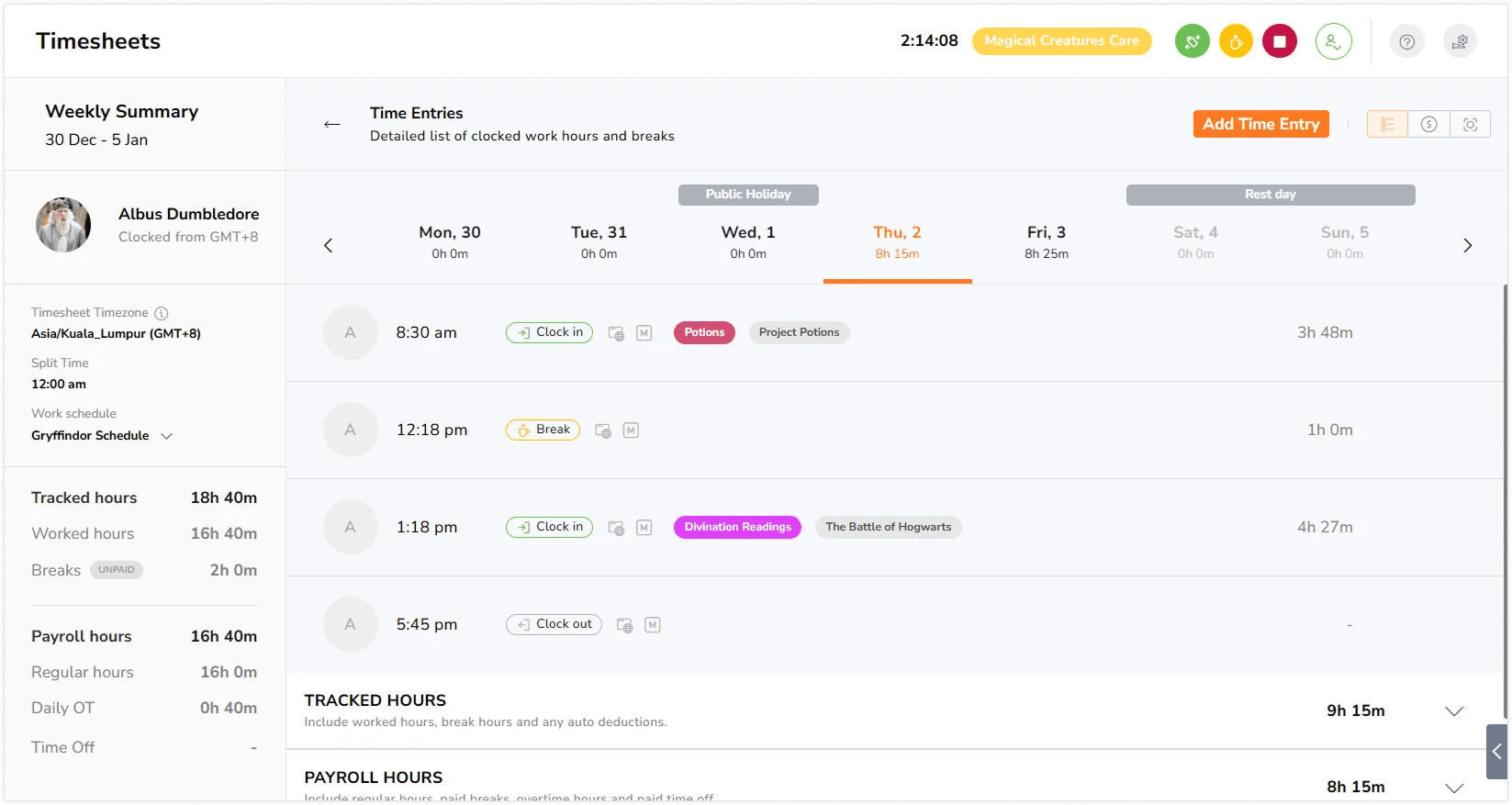
Best for: Teams spread across job sites that need location-verified punch-ins for free Rating: G2 4.6/5 (360+ reviews) · Capterra 4.8/5 (1,700+ reviews)
Jibble is a free time card app built for teams that need reliable attendance records wherever their people are working. Field crews, remote workers, multi-site operations, the free plan covers them all with GPS tracking and facial recognition, two features most apps hold back for paying customers.
Key features:
- GPS clock-in and AI-powered facial recognition to prevent buddy punching — both on the free tier.
- Unlimited users on the free plan, with no user cap.
- Clock in via mobile, web browser, kiosk, Slack, and Microsoft Teams.
- Automated timesheets with custom break and overtime rules.
- Max two locations and one kiosk on the free plan; live GPS breadcrumbs require a paid upgrade.
Pricing: Free (unlimited users, 2 locations max); paid plans start at $4.49/user/month (annual billing).
What users like: Lisa W., who runs an IT company with four hourly employees, wrote in her June 2026 Capterra review: "I love the fact that it is so easy to use, it's just about dummy-proof. When onboarding new employees, it's easy to create their account, and there's literally no training involved."
What users criticize: App reliability is a recurring complaint. Damaris N., a supervisor, wrote in her June 2026 Capterra review that "the app is glitchy and sometimes I have to restart the computer just to get it to work again," a complaint echoed across her team.
Our take: For field teams, Jibble is the standout free time card app on this list: unlimited users, GPS, and facial recognition at no cost. The catch is the two-location cap. If your crew rotates between three or more job sites, you'll hit that ceiling fast. Payroll integrations are also paid-only, so on the free plan you'll be exporting a CSV and importing it into your payroll tool yourself.
3. Connecteam — Best free time card app for deskless teams.
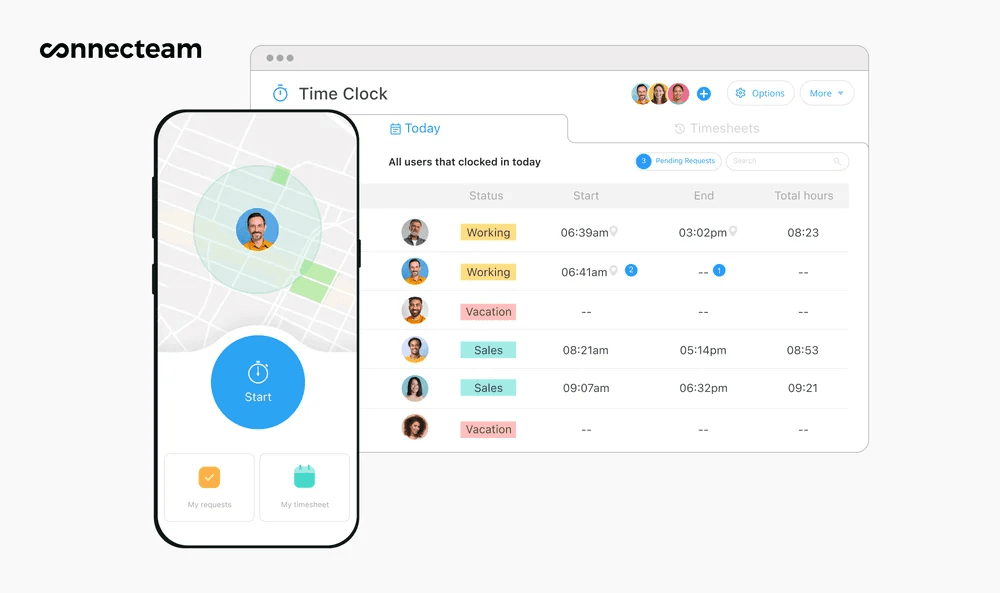
Best for: Field teams and frontline workers that need time tracking, scheduling, and messaging in one free app — up to 10 people Rating: G2 4.6/5 (3,500+ reviews) · Capterra 4.6/5 (5,000+ reviews)
Connecteam is a mobile-first app built for teams that work in the field rather than at desks. Its free Small Business Plan gives up to 10 users full access to time tracking, employee scheduling, GPS geofencing, team messaging, and task management. As a free time card app, it's one of the most complete free tiers in this category.
Key features:
- GPS geofencing at clock-in/out — available on the free plan.
- Scheduling alongside time tracking, both in one app, at no cost.
- Team messaging and task management included.
- Timesheet approvals before payroll export.
- Integrations with Gusto, QuickBooks, and ADP — on paid plans only; the free plan exports CSV.
Pricing: Free for up to 10 users (Small Business Plan, no expiration); paid plans start at $29/month for 30 users.
What users like: Oren K., writing on G2 in April 2026, called out the GPS clock-in specifically: "The feature of clock in and clock out, along with GPS tracking, is unique and valuable for ensuring our employees' attendance is real and for tracking the field team's specific work locations. The initial setup was quite smooth and simple."
What users criticize: The jump from the free plan to paid is a rude awakening for growing teams. Bree W., an operations manager, wrote in her January 2026 Capterra review: "When we switched from the small business plan to the paid version, it was quite a shock that you have to buy each plan separately. It felt like a sneaky trap."
Our take: Connecteam's free plan is genuinely generous: 10 users, scheduling, and GPS, all at no cost. The paywall you'll hit is payroll integration: on the free plan, you export a CSV and handle the rest in your payroll tool. If you need a free time card app that bundles scheduling and communication with time tracking and your team is under 10, this is hard to beat. Beyond 10 employees, costs climb fast because you pay for each module separately.
4. OnTheClock — Best free time card app for small teams on a budget.
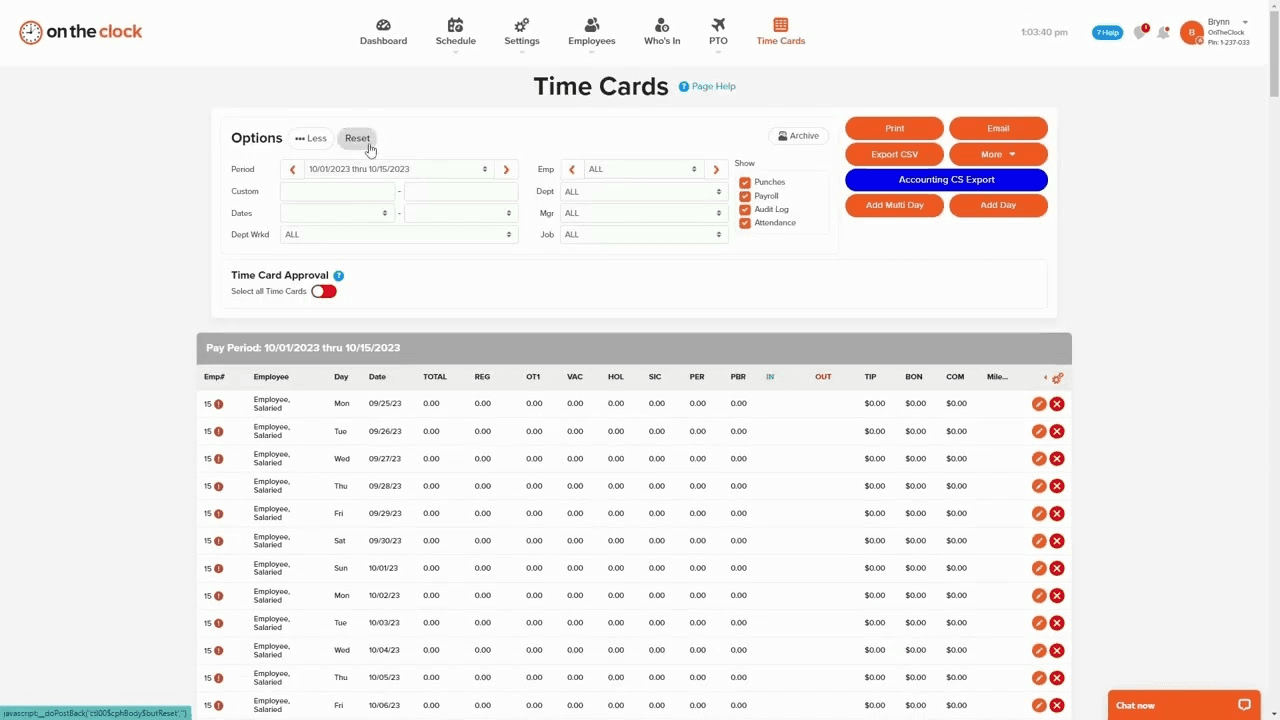
Best for: Small businesses that want transparent per-employee pricing, GPS, PTO tracking, and payroll integrations without a long-term contract Rating: G2 4.5/5 (185+ reviews) · Capterra 4.8/5 (718+ reviews)
OnTheClock is an employee time clock app and payroll tool built specifically for small and medium-sized businesses. It offers a 30-day free trial with no credit card required, giving you full access to all features before you commit. After the trial, pricing is simple and per-employee with no hidden tiers or feature paywalls.
Key features:
- 30-day free trial — no credit card required, full feature access.
- Geofencing and GPS at clock-in/out included on all plans.
- PTO tracking and time-off request management.
- Payroll exports to QuickBooks, Gusto, ADP, Paychex, Square Payroll, and more.
- Native payroll add-on available for running payroll, direct deposit, and tax filing at additional cost.
Pricing: 30-day free trial (no credit card required); after trial, $4/employee/month + $5/month base fee. A payroll add-on is available separately at $6/employee/month + $40/month base fee.
What users like: Korey M., reviewing on Capterra in January 2026, summed up the employee experience: "Was very easy to log in, and it's very fast and straight to the point. I really like that I can see my hours right away."
What users criticize: The mobile app gets mixed marks. A verified Capterra reviewer from an enrollment team wrote in April 2026: "The app works, but it's not always as smooth or feature-complete as the desktop version, which can be frustrating for teams that rely heavily on phones."
Our take: OnTheClock is a solid pick for small teams that want GPS, PTO tracking, and payroll integrations without a complicated tier structure. Everything is included from day one, no surprise paywalls for features you assumed were standard. The 30-day trial is genuinely useful: you get full access and no billing until you decide.
At $4/employee/month after that, it’s one of the cleaner pricing models for a free time card app on this list. One thing to flag: older reviews praising the pricing were written when plans started at $2.49/user, so those numbers are out of date.
5. Toggl Track — Best free time card app for simple hour logging.
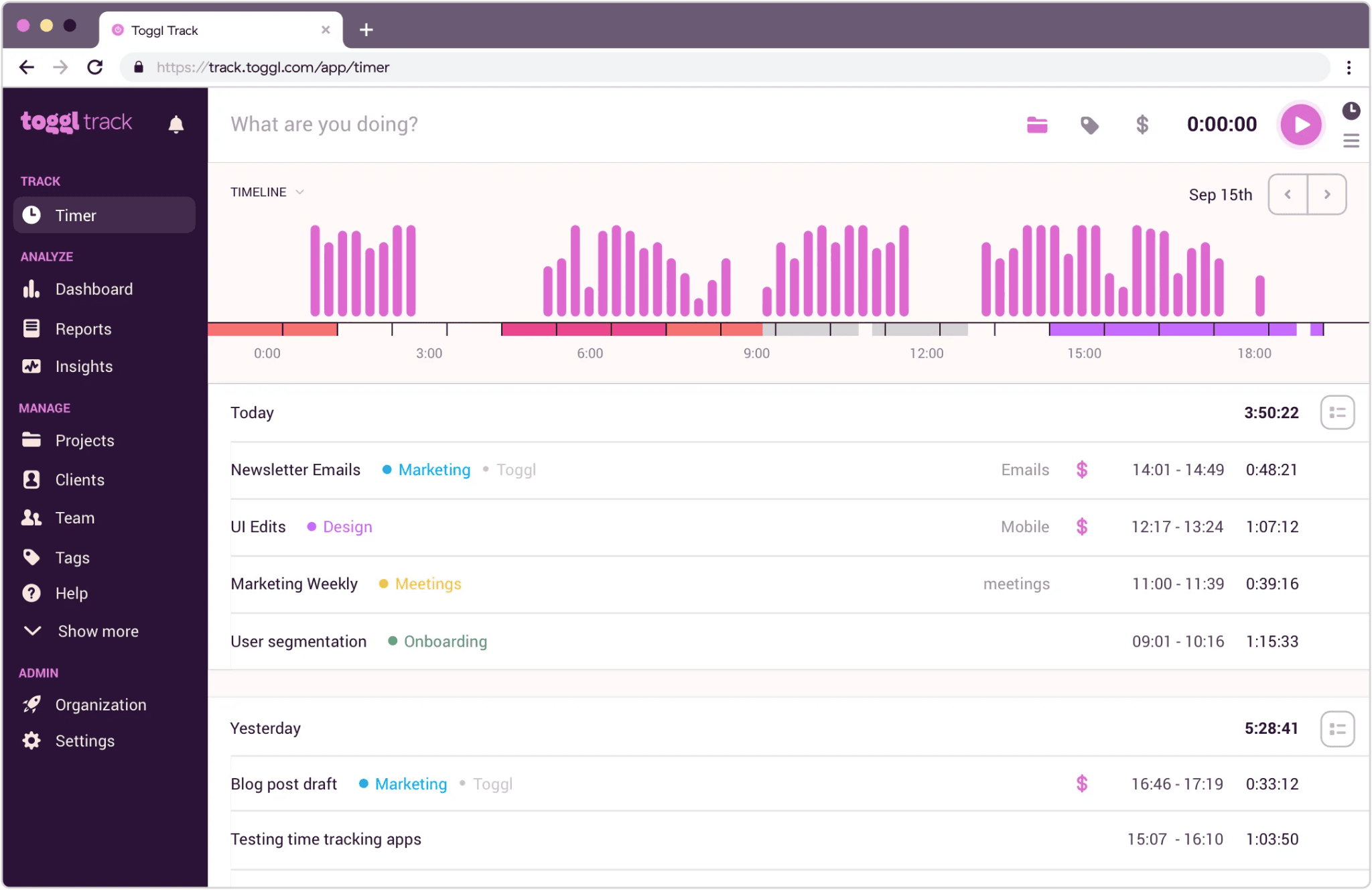
Best for: Solo operators or very small teams tracking time by project rather than by shift Rating: G2 4.6/5 (1,500+ reviews) · Capterra 4.7/5 (2,500+ reviews)
Key features:
- One-click time tracking across web, desktop, and mobile.
- Unlimited projects and clients on the free plan.
- Basic reporting and CSV exports.
- Calendar integration and idle detection.
- No scheduling, no GPS, no shift reminders — project tracking only.
Pricing: Free (up to five users); paid plans start at 9/user/monthbilledannually(12/month billed monthly).
What users like: Yasith P., a CTO who reviewed Toggl Track on Capterra in January 2026, described it as "the most simple time tracking tool that is available for free" with all the functionality a small team needs.
Our take: Toggl Track earns its place on this free time card app list for simplicity. If you need to log hours against a job code and export a CSV for payroll, the free plan handles that cleanly. It's a clean free time tracking app, but it wasn't built for shift-based teams.
There's no clock-in/out tied to a schedule, no GPS, no manager approval workflow, and no way to catch a missed punch before payroll runs. For most small businesses with hourly employees, the other four apps on this list will be a better fit.
What to Look for in a Free Time Card App
Here’s what to look before committing to your first free time card app:
Does your free time card app plan actually stay free?
Look for no trial countdown, no credit card required, and no gated core features. What looks like a free time clock app today can quietly become a paid one: Clockify removed billable hours from its free plan in April 2026 without advance notice, and a recent r/smallbusiness thread shows this isn't unusual. Verify the current free time card app plan before onboarding your team.
Can employees clock in on their phones?
Mobile clock-in should be standard in any free time card app or free timesheet software. A good mobile time card app will offer PIN-based or photo clock-in to cut buddy punching, plus a shared kiosk option for teams whose employees don't have smartphones.
Does it export hours to your payroll tool?
A direct integration with QuickBooks, Gusto, or ADP means approved hours move to payroll without manual re-entry. A CSV export works fine for small teams willing to do the import step, but it does add time to every payroll cycle, so factor that in.
Are timesheets accurate and approvable?
If you have hourly employees, accurate time records aren't optional. The Fair Labor Standards Act requires employers to keep records of hours worked for all non-exempt employees, and digital timesheets make that easy to maintain and easy to produce if you're ever asked. Check the DOL's FLSA recordkeeping guidance for what you need to keep on file.
What happens when your team grows past the free limit?
Before you commit to a free plan, figure out what you’d pay if you outgrow it. OnTheClock starts at $4/employee/month + $5/month base fee after the trial. Connecteam is $29/month for up to 30 users. Clockify charges $3.99/user/month. Switching time tracking tools mid-season is a real disruption, so it’s worth picking an app whose paid plan still fits your budget before you need it.
Finding the Right Free Time Card App for Your Hourly Team
The right free time card app depends on how your people work. Field teams that need a GPS-verified free time card app should start with Jibble or Connecteam. If scheduling matters as much as clock-ins, Connecteam covers both. Project-based businesses tracking billable hours will get more out of Toggl Track. Three of the five have permanent free plans, and OnTheClock gives you 30 days to try it properly before you decide. The more important question is whether your payroll integration and user limit will still make sense in six months.
For hourly teams that want scheduling and time tracking in one place, Homebase's free time clock connects punch-ins directly to payroll-ready timesheets, no manual re-entry required.
Free Time Card App FAQs
What is a free time card app?
A free time card app is a digital tool that records when employees start and stop working, calculates their hours, and hands that data to payroll. The best free options include mobile clock-in, manager approvals, and payroll exports, and they don't expire after a trial period or require a credit card to keep using.
Is there a completely free time card app for small businesses?
Several time card apps offer permanently free plans for small businesses, including Clockify (up to five users), Jibble (unlimited users), and Connecteam (up to ten users). OnTheClock offers a 30-day trial with full feature access, then $4/employee/month, worth considering if you need GPS and payroll integrations without a complex tier structure.
Are free time card apps accurate enough for payroll?
Free time card apps that include GPS verification, photo clock-in, and audit trails are accurate enough to meet FLSA recordkeeping requirements. When employees clock in with a location-verified punch or photo, you have a record that's hard to dispute if a question ever comes up.
Do I need to track employee hours by law?
Tracking employee hours is a legal requirement for anyone with non-exempt hourly workers: the Fair Labor Standards Act requires accurate records of daily and weekly hours, including overtime. A free time card app satisfies that requirement, and the DOL's FLSA guidance covers exactly what to keep on file.
What happens if I need more than the free plan allows?
Every free time card app on this list has a paid path when you need more than the free plan allows. Connecteam is $29/month for up to 30 users, Clockify starts at $3.99/user/month, Jibble at $4.49/user/month (annual), and OnTheClock at $4/employee/month plus a $5 base fee, so use the time card calculator to check the math before you commit.