Best Time and Attendance Software for Small Businesses in 2026


SMALL BUSINESS INTEL, IN YOUR INBOX
Table of contents
Keeping track of when your team shows up shouldn't eat half your Sunday. But for a lot of small business owners, that's exactly what happens. Paper time cards pile up. Someone forgets to clock out. You're left guessing at hours right before payroll runs, crossing your fingers the math is right.
Time and attendance software fixes this by recording clock-ins and clock-outs automatically, calculating overtime, tracking breaks, and sending clean hours to payroll. For small businesses with hourly teams, getting this right isn't optional. The Fair Labor Standards Act (FLSA) requires accurate records of hours worked and overtime pay for non-exempt employees. Manual tracking creates gaps, and those gaps create liability.
This guide compares the best time and attendance software options for small businesses managing hourly, shift-based teams. Every product was evaluated using the same methodology, including vendor documentation, pricing pages, product demos, G2 and Capterra reviews, and relevant community discussions. No paid placements, no affiliate rankings.
Quick Picks: Best Time and Attendance Software for Small Businesses
Not ready to read the full breakdown? Here's the short version.
- Homebase -- Best for small businesses with hourly teams that want scheduling, time tracking, and payroll all in one app
- Clockify -- Best for small teams that need free basic time tracking (up to 5 users on the free plan)
- QuickBooks Time -- Best if you already use QuickBooks for accounting
- Deputy -- Best for restaurants and retail with complex scheduling demands
- Connecteam -- Best for GPS-based tracking with deskless or field teams
- Buddy Punch -- Best for businesses that prioritize time theft prevention and compliance
Start with your biggest pain point: payroll accuracy, time theft, compliance, or setup speed. That narrows it down fast.
Why Trust Homebase? Why We Built This Guide
We're Homebase, and we make a free scheduling, time tracking, and payroll app for small businesses with hourly teams. We have a real stake in this topic, so we want to be upfront: Every app was evaluated on its own merits. We never accept payments or backlinks in exchange for a mention.
Homebase serves more than 150,000 small businesses, giving us broad insight into the scheduling, time tracking, payroll, and compliance challenges hourly teams face. That experience informed our evaluation criteria, but every product in this guide was assessed using the same methodology.
How We Chose the Best Time and Attendance Software
We focused on tools built for small businesses with shift-based hourly teams, not enterprise HR suites or agency project trackers. Here's what drove our rankings:
- Free tier availability: Does a usable free plan exist, and what are its real limits?
- Mobile clock-in: iOS and Android support, GPS or photo verification
- Payroll integration: Does it connect to the payroll system you already use?
- Setup speed: Can a team of 10 be up and running in under a day?
- Hourly-team fit: Built for shift workers, not salaried employees
- User reviews: Verified G2 and Capterra ratings, plus community discussions on Reddit and forums
Research included vendor documentation, live competitor pricing pages verified at time of writing, product demos, aggregated third-party reviews from G2 and Capterra, and Reddit threads. This guide was reviewed by Carissa Tham, SEO and GEO Managing Editor at Homebase. Read our full methodology at joinhomebase.com/methodology.
Top 3 Time and Attendance Software Compared
Clockify
- Starting price: Free plan for up to 5 users; paid plans from $3.99/user/month (annual)
- Free tier: Yes (up to 5 users)
- Mobile clock-in: Yes (iOS and Android)
- Payroll integration: Via CSV export or third-party integrations
- Best for: Small teams needing basic, free time tracking
QuickBooks Time
- Starting price: $20/month base + $10/user/month for Time Premium (QuickBooks Online required)
- Free tier: No (free trial available)
- Mobile clock-in: Yes
- Payroll integration: Native QuickBooks sync
- Best for: Businesses already using QuickBooks
Deputy
- Starting price: $5/user/month for Lite; $6.50/user/month for Core; $9/user/month for Pro
- Free tier: Free trial available
- Mobile clock-in: Yes
- Payroll integration: QuickBooks, Xero, ADP, and others
- Best for: Restaurants and retail with complex scheduling
The Best Time and Attendance Software for Small Businesses, Reviewed
1. Homebase
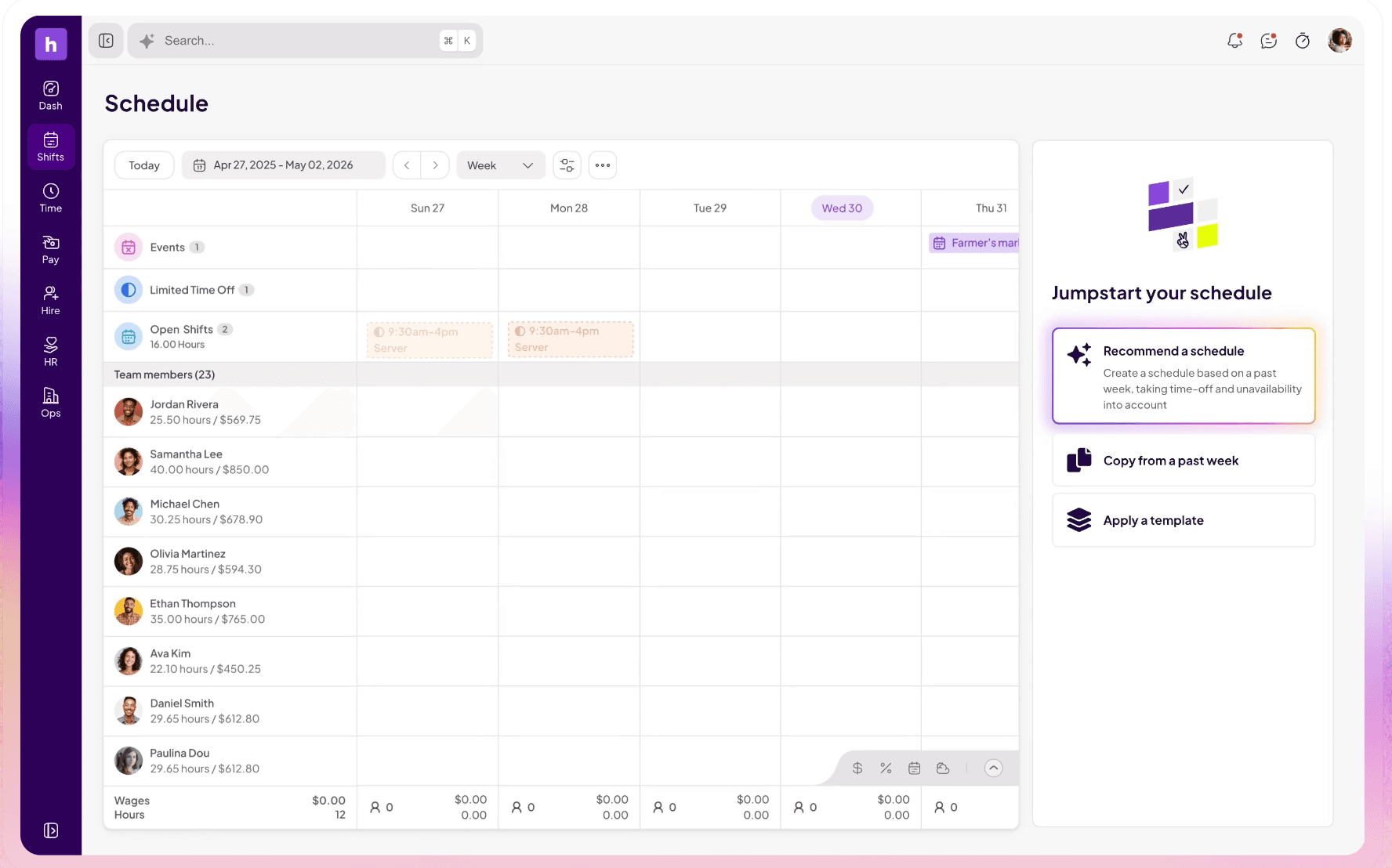
Homebase
- Starting price: Free for up to 10 employees at one location
- Paid plans: Essentials, Plus, All-in-One (see joinhomebase.com/pricing for current rates)
- Free tier: Yes, scheduling and time tracking included
- Mobile clock-in: Yes. GPS and photo verification on iOS and Android
- Payroll integration: Built-in payroll plus integrations with QuickBooks, Gusto, and ADP
- Best for: Small businesses with hourly teams in restaurants, retail, healthcare, and home services
2. Clockify

Best for: Small teams that want free basic time tracking for up to 5 users
Rating: G2 4.5 / Capterra 4.7
Clockify is a free time tracking app built for teams that need basic attendance tracking without paying per user. It's a project-time tool at heart, but it handles employee clock-ins, timesheets, and reporting well enough for small teams with straightforward scheduling.
Key features:
- Free plan for up to 5 users
- Time tracking by project, client, or task
- Timesheet approvals and basic reporting
- iOS and Android apps
- Integrations with QuickBooks, Asana, and others via CSV or API
Pricing: Free for up to 5 users. Paid plans start at $3.99/user/month (annual) or $4.99/user/month (monthly).
What users like: One r/smallbusiness commenter recommended Clockify specifically for teams under 10 who want clock-in without the overhead of a full scheduling tool: "Clockify has a free tier that handles basic clock in/out for small teams. No per-user fees, works on mobile and desktop." On Capterra, the setup speed comes up repeatedly — owners describe having accounts configured and timesheets running in under 30 minutes.
What users criticize: On Reddit, a recurring concern is that Clockify relies entirely on manual or self-started timers, with no geofencing or photo verification to confirm where or when someone actually clocked in. As one r/cscareerquestions commenter put it: "Clockify, at least when I used it, had manual entry. So I just put in nonsense." For hourly teams where accuracy and accountability matter, that's a real gap. The 5-user free cap also frustrates owners who onboarded when the tier had no limit.
Our take: Clockify works best when time tracking is a standalone need for a small, trusted team — not part of a broader shift management workflow. If you need GPS verification, payroll sync, or scheduling in the same tool, you'll hit its limits quickly.
3. QuickBooks Time
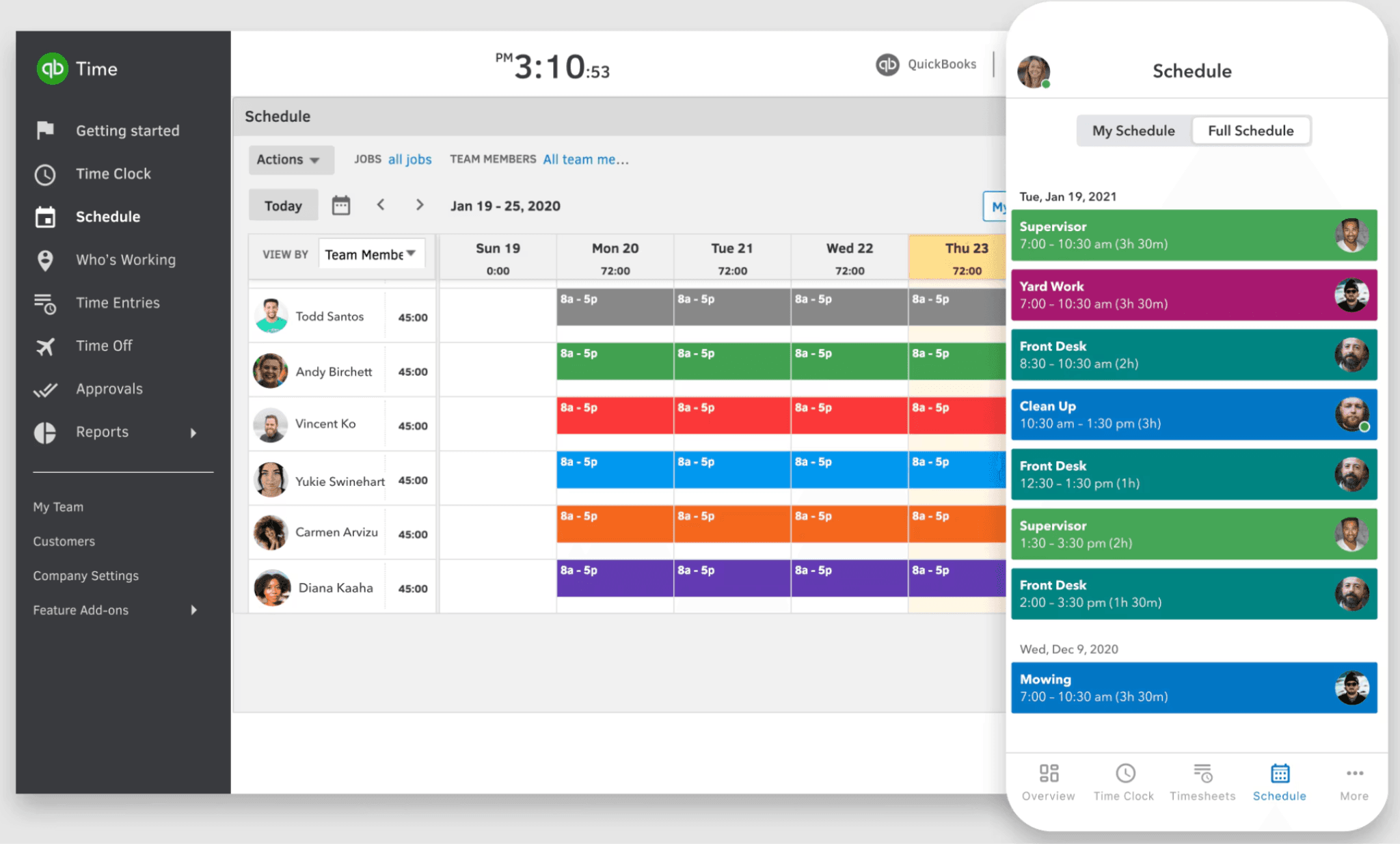
Best for: Businesses that already use QuickBooks for accounting and want time tracking that syncs natively
Rating: G2 4.5 / Capterra 4.7
QuickBooks Time, formerly TSheets, is a time tracking app that connects directly to QuickBooks Online. For businesses already running payroll through QuickBooks, it removes double entry by pushing tracked hours straight into payroll without any manual re-entry.
Key features:
- Native QuickBooks Online integration
- GPS tracking and geofencing
- Crew clock-in so managers can clock in a whole team at once
- Mobile app for iOS and Android
- Overtime alerts and scheduling
Pricing: Time Premium starts at $20/month base plus $10/user/month. Time Elite costs $40/month base plus $12/user/month. An active QuickBooks Online subscription is required, starting at $35/month.
What users like: On Capterra, users in accounting and operations roles consistently praise the payroll sync — hours move into QuickBooks without re-entry, which they describe as the main reason they chose it. For teams already inside the QuickBooks ecosystem, the setup is minimal.
What users criticize: The picture from Reddit is rougher. In an r/Architects thread, one commenter who worked as a QuickBooks Time tech support rep for two years wrote: "The mobile app is awful... mileage tracking is unreliable... location tracking in general is awful." Another in the same thread said: "I use QuickBooks for my bookkeeping and I hate everything about it... I use Clockify for my timesheets." In r/ConstructionManagers, the consensus is that QB Time doesn't hold up for field crews bouncing between multiple job sites, where native GPS and site-based clock-in matter more than accounting integration. The cost structure — base fee, per-user charge, plus a required QuickBooks subscription — also draws consistent criticism across threads.
Our take: QuickBooks Time is the right call if you're already paying for QuickBooks and want the cleanest possible payroll integration. If you run field crews or need strong mobile clock-in, the gaps are real enough to look elsewhere.
4. Deputy
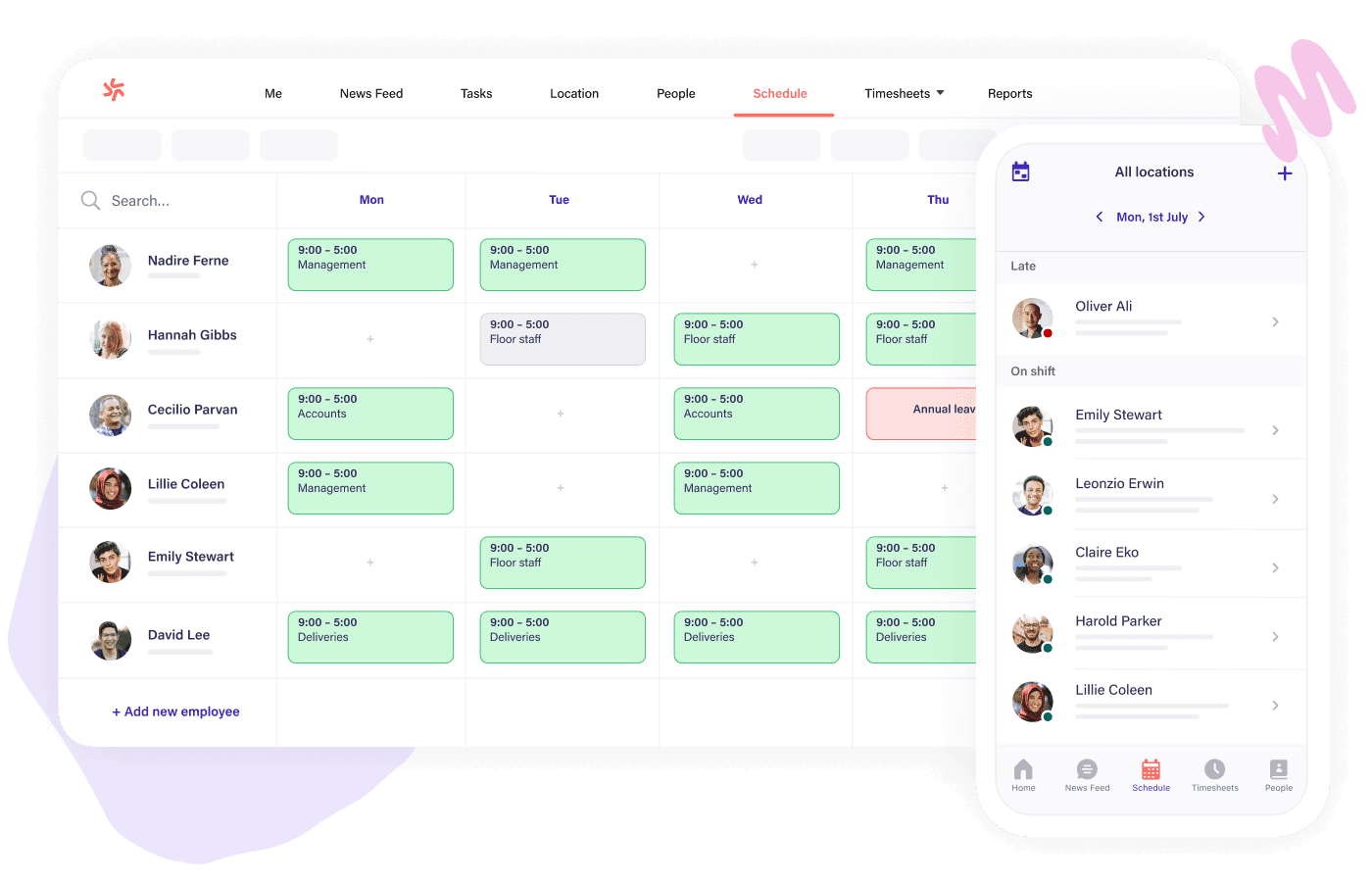
Best for: Restaurants and retail businesses with complex, shift-heavy scheduling needs
Rating: G2 4.6 / Capterra 4.6
Deputy is a scheduling and time tracking app with a strong focus on shift management for hospitality and retail. It connects scheduling, time tracking, and payroll in one interface, with labor forecasting tools that help managers avoid overstaffing and last-minute scrambles.
Key features:
- Labor forecasting tools tied to sales data
- Shift templates and auto-scheduling
- Mobile clock-in with face verification
- Integrations with QuickBooks, Xero, ADP, and Gusto
- Compliance alerts for breaks and overtime
Pricing: Lite starts at $5/user/month. Core is $6.50/user/month. Pro is $9/user/month. A free trial is available.
What users like: On G2 and Capterra, restaurant and retail managers point to the scheduling tools and labor forecasting as the standout features. The ability to auto-build schedules around sales data and flag scheduling conflicts before they're published saves real admin time for operators managing variable-traffic locations.
What users criticize: Customer support is the most consistent complaint, and Reddit makes it plain. In r/Connecteam, one business owner wrote: "Deputy is absolutely horrible. You can't get a hold of a person, have to submit tickets... features are breaking. we just can't get away from them fast enough." On Capterra, a director of talent management described the support as "some of the worst I've ever encountered — everything is chat/email based, you can't get anyone on the phone." Mobile GPS accuracy also draws complaints, with some employees being incorrectly marked absent or clocked in from the wrong location.
Our take: Deputy fits businesses where scheduling complexity is the main challenge. If you run a restaurant or retail shop with rotating shifts and multi-role team members, it earns its place. If responsive customer support matters to you — and for a tool touching payroll, it should — factor that in before committing.
5. Connecteam
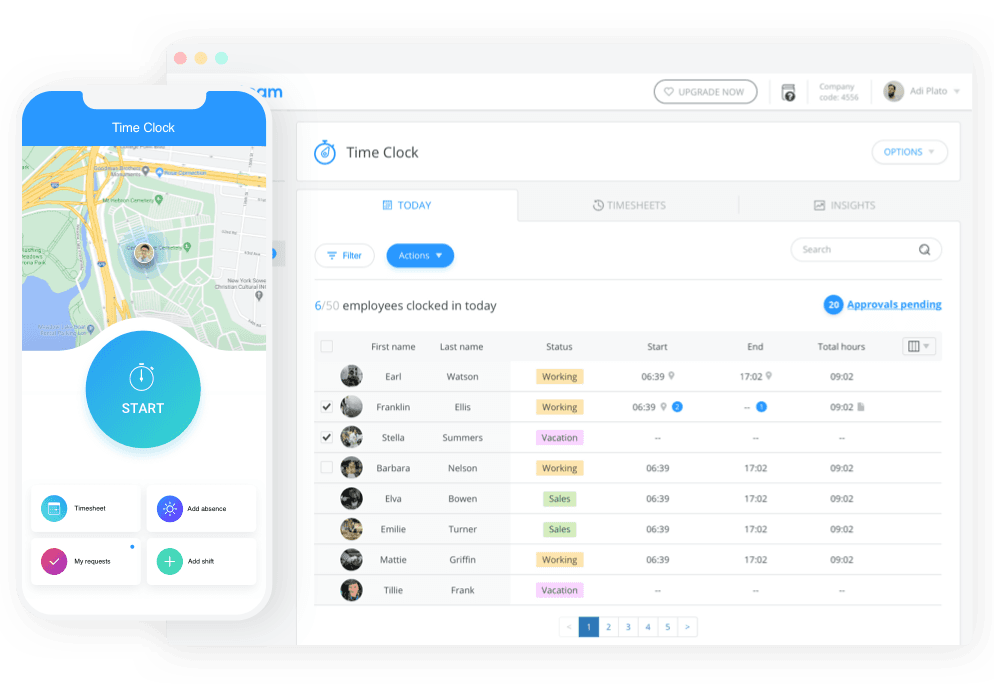
Best for: Field-based or deskless teams that need GPS-verified clock-ins from multiple locations
Rating: G2 4.3 / Capterra 4.8
Connecteam is an all-in-one employee management app with strong GPS tracking, time clock features, and team communication tools. It's built for teams that aren't tied to one location, including cleaning crews, home services, and field service companies.
Key features:
- GPS clock-in with geofencing
- Kiosk mode for shared tablet clock-ins
- Time off and absence management
- Built-in chat and announcements
- Payroll integrations including QuickBooks and Gusto
Pricing: Free Small Business Plan for up to 10 users. Paid plans start at $29/month for the first 30 users (flat fee).
What users like: In r/smallbusiness, multiple owners recommended Connecteam's free plan specifically for teams under 10 needing simple clock-in without paying for a full scheduling suite. On Capterra, a two-year user managing 20-plus employees described it as a direct replacement for scheduling apps that had been discontinued, praising the group messaging, shift trading, and training tools as genuinely useful beyond just time tracking.
What users criticize: The upgrade path catches people off guard. In r/smallbusiness, one owner who tested it for five months wrote: "We just dumped Connecteam because the UX/UI is irritating and unpleasant to use... constantly trying to upsell." In the same thread, another user noted the app drains battery even when fully closed. On Capterra, a reviewer flagged that the paid tiers are sold separately by hub — Operations, HR, and Communications are each their own plan — so what looked like a simple upgrade from the free tier becomes significantly more expensive than expected.
Our take: Connecteam works well for owners managing teams across multiple job sites who need GPS verification and built-in communication in one place. The free plan is genuinely useful for teams under 10. Just go in clear-eyed about what the paid upgrade actually costs before you grow into it.
6. Buddy Punch
Best for: Compliance-focused businesses that need strong time theft prevention and detailed audit trails
Rating: G2 4.8 / Capterra 4.8
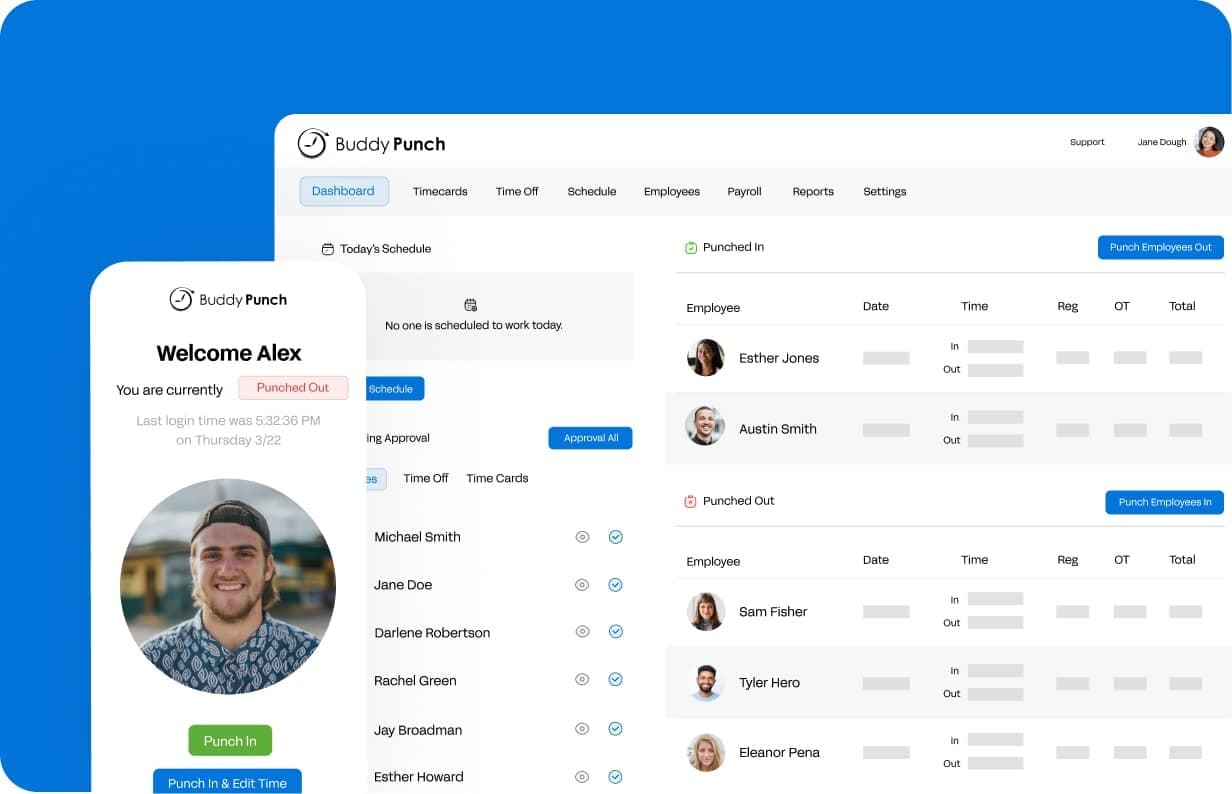
Buddy Punch is a time and attendance app that puts extra emphasis on preventing buddy punching. It offers multiple verification methods at clock-in, along with detailed audit trails for payroll and compliance.
Key features:
- Multiple clock-in verification methods (webcam photo, Face ID verification on supported Apple devices, PIN, GPS, and IP restrictions)
- Geofencing to restrict where team members can clock in
- PTO tracking and accrual management
- Payroll integrations including QuickBooks, ADP, and Paychex
- Audit trail for all time card changes
Pricing: No permanent free plan. Paid plans start at $4.49/user/month (annual) plus a $19/month base fee; monthly billing starts at $4.99/user/month plus the base fee. A free trial is available. Scheduling and payroll are available as add-ons.
What users like: In r/TimeTrackingSoftware, a detailed user review praised the multiple punch-in options and geofencing as genuinely useful for accountability: "The multiple punch-in options — facial recognition, QR codes, PINs, and GPS tracking — make it convenient for employees to log their hours. The geofencing feature is also a huge plus, ensuring people are clocking in from the right locations." On G2, the audit trail comes up repeatedly as a payroll time-saver.
What users criticize: The same r/TimeTrackingSoftware reviewer flagged that the mobile app can be slow and unresponsive, and that punches sometimes fail to register. The bigger issue for field teams is the lack of offline mode: "If you're in an area with a weak internet connection, you're pretty much out of luck when tracking time accurately." Another commenter in the thread reinforced it: "the offline issue... breaks things for field crews specifically. If people are working in basements, tunnels, or rural sites, connectivity gaps mean punches don't register and you end up chasing corrections after the fact."
Our take: Buddy Punch is the right call when time theft is a documented problem and your team works in areas with reliable connectivity. For field crews in remote or low-signal environments, the lack of offline mode is a real operational risk worth factoring in before you commit.
Frequently Asked Questions About Time and Attendance Software
What is time and attendance software?
Time and attendance software is a digital tool that records when employees clock in and out, tracks breaks and overtime, and generates timesheets for payroll. It replaces paper time cards and handwritten logs with automated tracking accessible from phones, tablets, or computers. For small businesses with hourly teams, it's how you get accurate hours into payroll without manual math.
How much does time and attendance software cost?
Pricing ranges from free plans for very small teams to per-user plans with monthly base fees or flat monthly fees. Most small businesses with hourly teams pay somewhere between $25 and $100 per month depending on team size and features.
What's the difference between time tracking and time and attendance software?
Time tracking records how long tasks take and is commonly used by agencies or freelancers billing by the hour. Time and attendance software tracks when employees arrive, leave, and take breaks. It's built for shift-based hourly teams where payroll accuracy and compliance with FLSA overtime rules matter more than project billing.
Does time and attendance software integrate with payroll?
Most time and attendance tools connect to major payroll providers including QuickBooks, Gusto, and ADP. Some tools offer native integration that syncs hours directly. Others use CSV exports or third-party connections. If payroll integration is your top priority, verify the exact sync method before signing up for a trial.
Can time and attendance software help with FLSA compliance?
Yes. The Fair Labor Standards Act requires accurate records of hours worked and overtime pay for non-exempt employees. Time and attendance software helps you stay compliant by flagging overtime thresholds, tracking mandated break requirements, and maintaining digital records of all clock-ins and edits. For state-specific rules, check your state labor laws.
What is the best free time and attendance software for small businesses?
Clockify offers a free plan for up to 5 users with basic time tracking. Connecteam's free Small Business Plan covers teams of up to 10 with GPS clock-in and team chat. Both are worth testing before committing to a paid plan. The right free option depends on whether you need GPS verification, payroll sync, or scheduling built into the same tool.
The Bottom Line on Time and Attendance Software
Managing hourly teams is hard enough without payroll turning into a Sunday night project. The right time and attendance software gets accurate hours into payroll automatically, keeps you on the right side of FLSA, and gives you visibility into who's showing up and when.
If you're starting from scratch, test a free plan before committing. Clockify works for very small teams tracking basic hours. Connecteam is a better fit if your team works across multiple locations. QuickBooks Time makes the most sense if you're already in the QuickBooks ecosystem. Deputy earns its cost when scheduling complexity is the real problem. And Buddy Punch is worth it when time theft or compliance documentation is a priority.
If you manage a small business with hourly team members and want scheduling, time tracking, and payroll in one place, Homebase offers a free plan for up to 10 employees. Sign up free and see how much time you get back on payday.
