Payroll Software for Small Business: The 2026 Guide


SMALL BUSINESS INTEL, IN YOUR INBOX
Table of contents
It's Friday afternoon. Your team clocks out in an hour, and payroll is supposed to hit Monday morning. You open your spreadsheet, start re-entering hours from the time clock, and realize the numbers don't match. Again.
That moment, the sinking feeling of knowing something's off but not knowing exactly where, is what payroll software for small business is supposed to eliminate. When it's working, you never have that moment. When it's not, you get a Sunday spent untangling timesheets, followed by a Monday spent hoping the IRS doesn't notice.
This guide covers the top payroll software for small business options in 2026. We've compared pricing, tax filing coverage, time tracking integration, and what real users are saying — including about the downsides.

Which Payroll Software Is Right for Your Small Business? (TL;DR)
The best payroll for small business depends on your team type. Here's the quick version of payroll software for small business options at a glance:
- Gusto — best for mixed workforces with benefits needs (and among the most full-featured payroll apps for small business)
- ADP RUN — best for businesses scaling past 25 employees
- QuickBooks Payroll — best for teams already on QuickBooks
- OnPay — best flat-rate option with no per-state fees
- Patriot Software — best value entry point for simple payroll
- Square Payroll — best for Square POS users
- Rippling — best for tech-forward teams connecting HR, IT, and payroll
Why Trust Homebase? Here's Why We Built This Payroll Software Guide
We're Homebase. We make scheduling, time tracking, and payroll tools for small businesses with hourly teams. We built payroll specifically because we kept hearing from restaurant owners, retailers, and service businesses using payroll software for small business that their time clock and their payroll were two separate systems — and the gap between them was where errors happened.
Homebase does not appear in the ranked list below. Every tool here was evaluated on its own merits — we don't accept payments, sponsored placements, or backlinks in exchange for a product mention. Ratings are sourced from Capterra and G2 as of July 2026, and pricing is verified against each provider's live pricing page.
For more on how we evaluate payroll software for small business options, see our methodology.
How the Top 3 Payroll Software Options for Small Business Compare
The top three payroll software for small business options for most teams without complex enterprise needs are Gusto, OnPay, and Patriot Software. Here's how they compare on the factors that matter at point of purchase:
Gusto
- Best for: Mixed salaried/hourly teams with benefits needs
- Starting price: $49/month + $6/person
- Free tier: No
- Time tracking: Add-on ($6/person/month on Simple; included on Plus)
- Multi-state payroll: Plus plan only
- G2 rating: 4.6/5 (12,068 reviews)
OnPay
- Best for: Budget-conscious and multi-state teams
- Starting price: $49/month + $6/person
- Free tier: First month free
- Time tracking: Integration-based; no native scheduling
- Multi-state payroll: Included at base price, no extra fee
- G2 rating: 4.8/5 (415 reviews)
Patriot Software
- Best for: Small businesses wanting the lowest entry cost
- Starting price: $17/month + $4/person (Basic); $37/month + $5/person (Full Service)
- Free tier: No Time tracking: Paid add-on ($6/month + $2/person)
- Multi-state payroll: U.S. only
- G2 rating: 4.8/5 (630 reviews)
How Homebase Payroll Compares
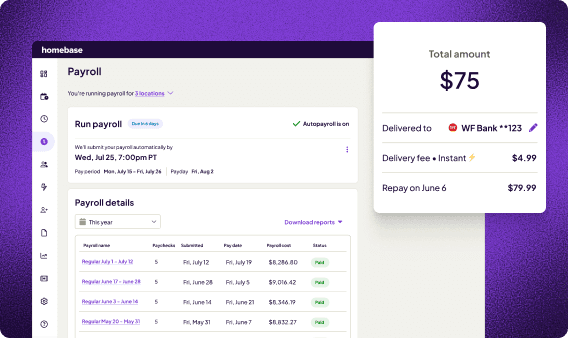
Homebase isn't a payroll-only tool. It's scheduling, time tracking, hiring, team communication, and payroll in one app — built specifically for hourly teams.
The key difference from every tool in this comparison: hours flow from the clock directly into payroll without re-entry. For restaurants, retailers, and service businesses where team members clock in and out daily, that single integration point is where most payroll errors either get caught or created.
If your payroll errors start at the time clock, see how Homebase connects the two. For a broader look at online payroll services and how they differ on tax coverage and setup, that guide covers the full category.
The Top Payroll Software for Small Business Compared
The top payroll software for small business options in 2026 — covering every major category of payroll software for small business — are Gusto, ADP RUN, QuickBooks Payroll, OnPay, Patriot Software, Square Payroll, and Rippling. These payroll software reviews are based on verified Capterra and G2 ratings as of July 2026.
The best fit depends on team type, existing tools, and budget. This payroll software small business comparison is organized by use case. Compare payroll software side by side using the tool entries and pricing list above — each one is matched to the team type it serves best.
Gusto payroll: best for mixed workforces.
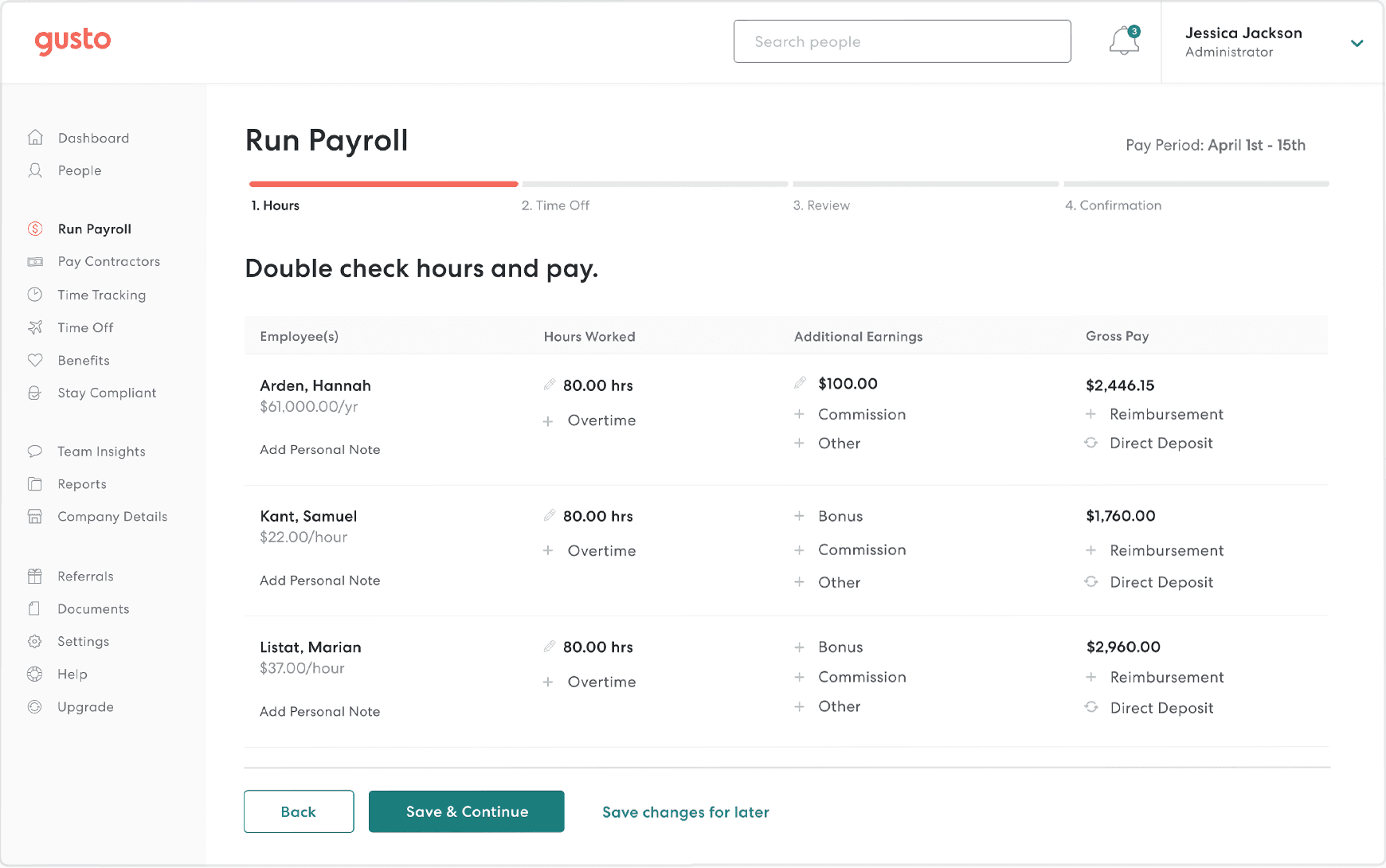
Capterra: 4.6/5 (4,217 reviews) | G2: 4.6/5 (12,068 reviews) Pricing: $49/month + $6/person (Simple plan)
Gusto is the payroll software for small business owners with both salaried and hourly employees who want to offer benefits alongside payroll. Capterra reviewers consistently describe the experience as excellent for small and medium-sized businesses, praising how much easier it makes onboarding and tax compliance. G2 reviewers echo that, with approximately 83% awarding five stars.
The recurring thread on both platforms: customer support quality is inconsistent when tax filing errors or W-2 issues arise — a meaningful risk when a payroll error could trigger an IRS notice.
What users like:
"I have loved Gusto. I've used almost all of the big payroll/HR systems and Gusto is head and shoulders above the rest. Easy to use, awesome automations, great at gathering feedback, makes sense, and more." — Greg R., Capterra
What users criticize:
"I'm a small business with two owners, we're beyond fed up with Gusto... Gusto will pull funds anyway, then hide behind process and timing excuses when called out." — Garrett S., Capterra
Our take: Gusto earns its reputation as payroll software for small business with mixed teams and benefits needs. The support gap during tax season is a real risk — if you run a tight operation where a payroll hold would create cash flow problems, that's worth weighing against the benefits upside.
What works well:
- Comprehensive benefits administration at all plan levels
- Contractor payments with 1099s filed automatically
- Rated #1 Highest Satisfaction Software on G2's 2026 list
Worth knowing: Plus includes time tracking at $80/month + $12/person; Simple customers can add Time & Attendance Plus for $6/person/month. Per-employee costs climb quickly as your team grows.
See how Gusto alternatives stack up if Gusto's pricing structure doesn't fit your team size.
ADP RUN payroll: best for growing businesses.
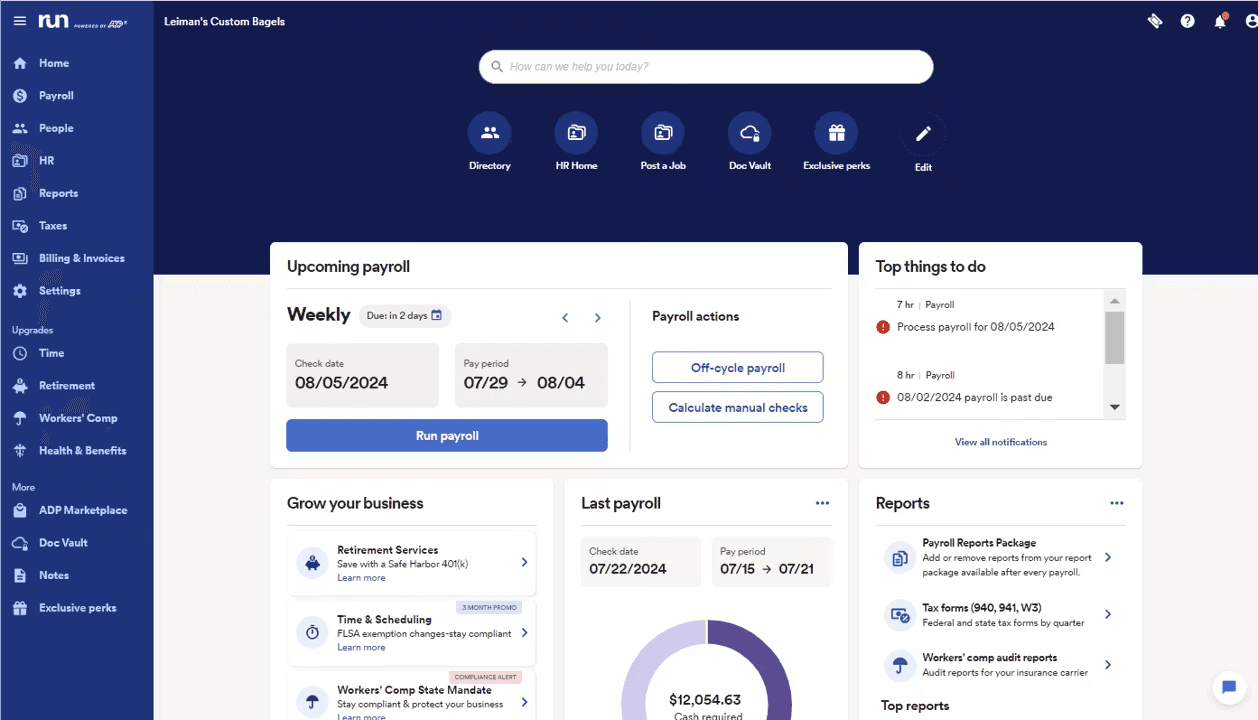
Capterra: 4.6/5 (1,476 reviews) | G2: 4.7/5 (approx. 6,095 reviews) Pricing: Quote-based — contact ADP. RUN ranked #1 in G2's Winter 2026 Small-Business Payroll Grid and was named a Leader for the 34th consecutive season in Summer 2026.
ADP RUN is payroll software for small business owners who are scaling and need compliance infrastructure that grows alongside them. It covers full-service payroll and multi-state tax filing.
The most common criticism across both platforms is the lack of transparent pricing and an interface that feels more corporate than tools designed for small businesses.
What users like:
"ADP is a great value for small business. The products and support save you time and ensure payroll, workers comp, benefits deductions, PTO are done correctly." — Renee M., Capterra
What users criticize:
"Simple to use but couldn't trust with local tax filings. We ended up leaving Run... due to extreme problems with local taxes being paid in the right amounts and to the right entities." — Verified Reviewer, Capterra
Our take: ADP RUN's compliance depth and scalability make it strong payroll software for small business in the 15–49 employee range, particularly those in industries with complex labor rules. For a five-person restaurant running simple hourly payroll, the cost and complexity are harder to justify.
What works well:
- Enterprise-level compliance and multi-state payroll support
- Scales within the 1–49 employee range without switching plans; larger businesses may transition to a different ADP product
- 24/7 customer support included on all plans
Worth knowing: Per-payroll-run charges apply on ADP RUN, unlike Gusto and OnPay, which offer unlimited runs at the base price. No public pricing means you can't compare costs without a sales call.
For a full breakdown, see how ADP alternatives compare on price and capabilities.
QuickBooks Payroll: best for QuickBooks users.
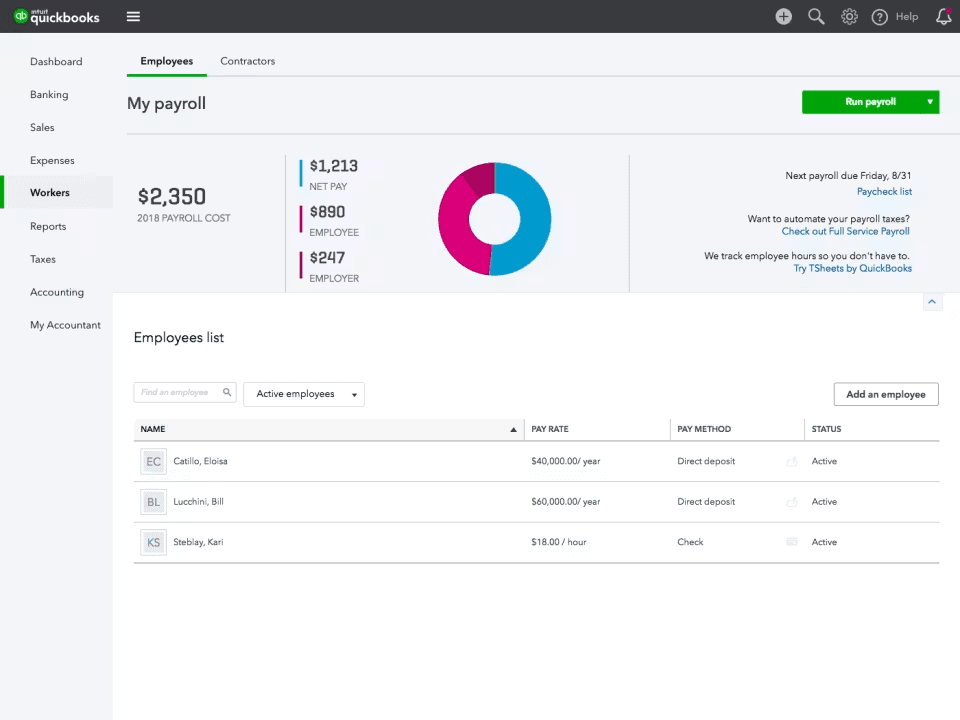
Capterra: 4.5/5 (985 reviews) | G2: 4.4/5 (486 reviews) Pricing: $50/month + $7/person (Workforce Payroll plan, before promotional discounts). Verify current pricing at quickbooks.intuit.com/payroll before committing.
If you're looking for accounting and payroll software for small business in one ecosystem, QuickBooks Payroll eliminates the friction of connecting two separate systems.
What users like:
"QuickBooks Payroll takes out the hassle of dealing with the nuisances of payroll. It is easy for individuals who may feel intimidated to handle payroll or banking. It is user friendly and anyone can use it." — Taquina D., Capterra
What users criticize:
"We discovered issues with accrual calculations and syncing errors. Not only has this issue not been fixed 4 months later, but we have now discovered system calculations have been incorrect for some time, shorting our employees of vacation earnings." — Louise M., Capterra
Our take: The QuickBooks ecosystem integration is valuable if you're already paying for QuickBooks Online — and this is payroll software for small business that makes most sense in that context. If you're not, there's no reason to start here — Gusto and OnPay offer comparable payroll at lower cost without requiring a separate accounting subscription.
What works well:
- Seamless sync with QuickBooks Online — no manual journal entries
- Automated federal and state tax filing on all plans
- Employee self-service portal for pay stubs and W-2 access
Worth knowing: QuickBooks can handle supported federal, state, and local payroll taxes after the applicable agency accounts are configured; each additional state costs $12/month on Workforce Payroll and Workforce Premium. Same-day direct deposit requires a higher-tier plan. Confirm current pricing before quoting it to your team.
For teams weighing their options, our QuickBooks payroll alternatives guide covers what's available at each price point.
OnPay payroll: best for budget-conscious and multi-state teams.
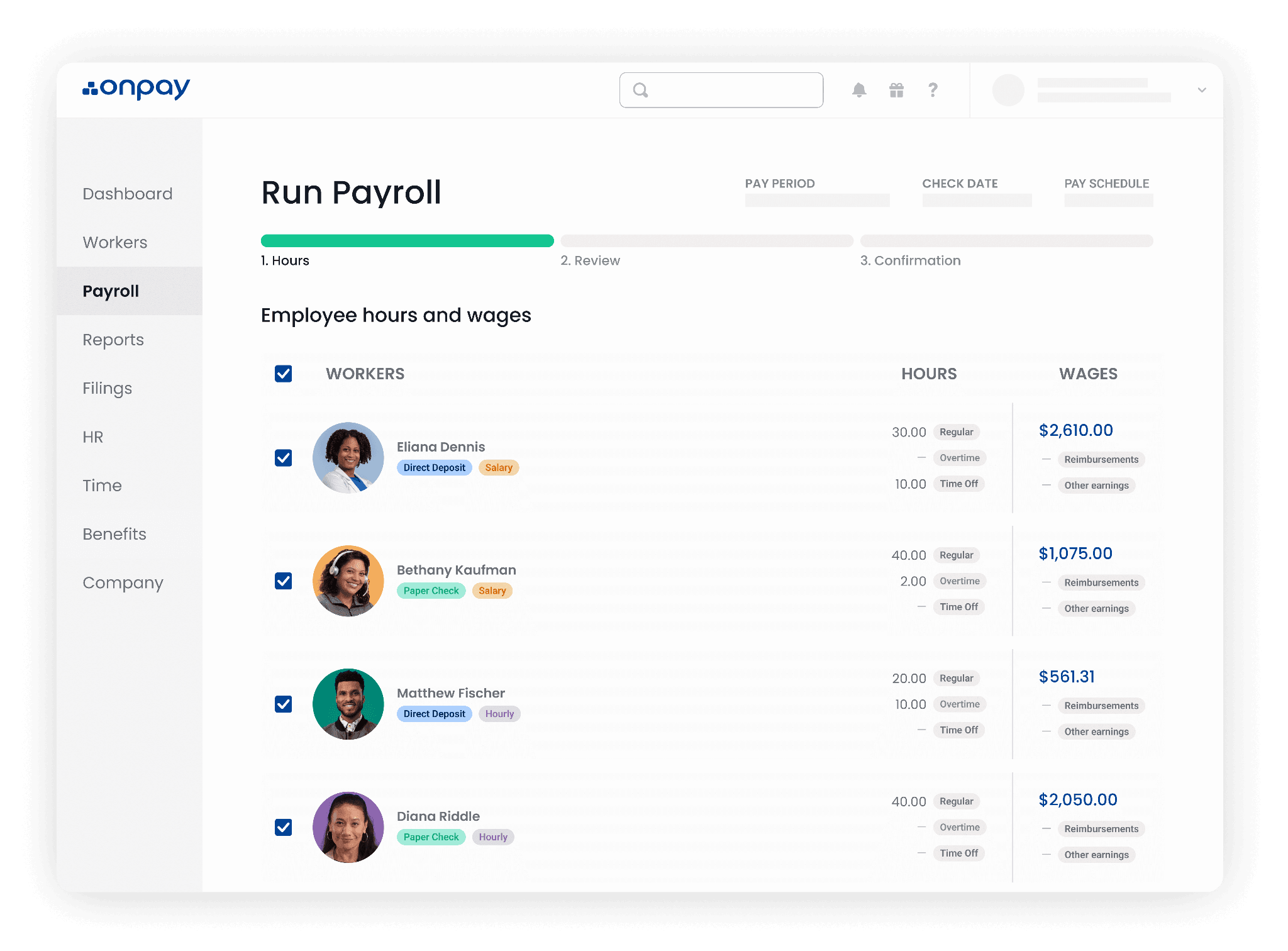
Capterra: 4.7/5 (468 reviews) | G2: 4.8/5 (415 reviews) Pricing: $49/month + $6/person. One plan, everything included. First month free.
OnPay is payroll software for small business that keeps it simple: one flat monthly price with no per-state fees.
G2 named OnPay #1 in its Summer 2026 Payroll Results Index. Reviewers on both platforms highlight pricing stability — OnPay doesn't gradually raise fees the way some competitors do — and some describe hearing from a real person quickly after signing up.
What users like:
"We process payroll biweekly, and it is a pleasure to use. Adding new employees is easy — we love the option to invite employees to add their own information to the system. Taxes are paid on time, and the W-2 feature is quick and easy." — Deb S., Capterra
What users criticize:
"The software does not have built-in time tracking or scheduling tools, requiring users to rely on external integrations." — Cory R., Capterra
Our take: OnPay is the cleanest payroll software for small business option if you just want payroll handled without upsells. The time tracking gap matters for hourly businesses — if your team clocks in and out, you'll need a separate tool and a manual export step, which is the problem OnPay otherwise does a good job of eliminating.
What works well:
- Flat-rate pricing with no hidden fees — no surprise charges for multi-state payroll
- Free onboarding support and data migration included
- Responsive customer support, especially during onboarding
Worth knowing: OnPay can connect with time-tracking systems, but teams needing native scheduling and clock-in workflows should compare integrations carefully. HR tools are a paid add-on at $15/month + $2/person.
Patriot Software: best value payroll software for small business.
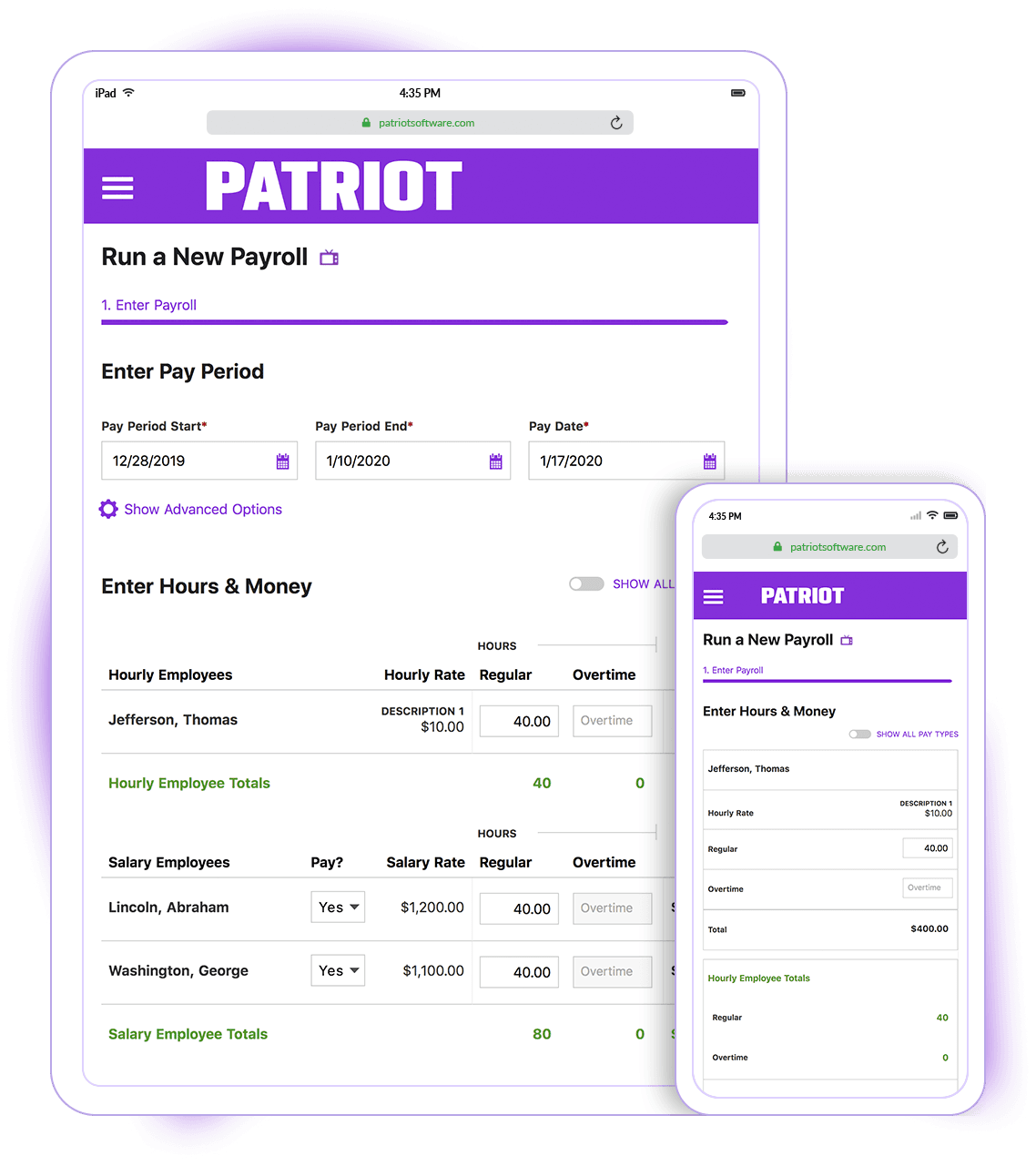
Capterra: 4.8/5 (3,964 reviews) | G2: 4.8/5 (630 reviews) Pricing: $17/month + $4/person (Basic) or $37/month + $5/person (Full Service). Both plans include unlimited payroll runs and direct deposit.
Patriot is the most affordable payroll software for small businesses in this comparison. Across nearly 3,964 Capterra reviews it earns its highest marks for customer support, and G2 reviewers note how easy it is to make mid-year adjustments without contacting support.
What users like:
"I would definitely recommend Patriot to anyone who needs a payroll provider. Their customer support is top notch: super responsive, the FAQs are very helpful, even their chatbot is worth using." — Glen S., Capterra
What users criticize:
"Direct deposit requires lengthy lead times... the time to place a direct deposit in the employees' account is excessive." — Nelson N., Capterra
Our take: Patriot is the right payroll software for small business answer when the priority is low cost and reliable filing. The direct deposit lead time issue is worth confirming before you commit, especially if you're running payroll close to pay dates. For teams that also need time tracking, add the $6/month + $2/person module and the total cost can approach Gusto or OnPay.
What works well:
- Lowest entry price in the category
- Customer support frequently praised in Capterra and G2 reviews
- AutoPay option for recurring payrolls
Worth knowing: Time tracking is a separate add-on at $6/month + $2/person. For teams that need time tracking included, the total cost can approach Gusto or OnPay. U.S. payroll only.
Square Payroll: best for Square POS users.
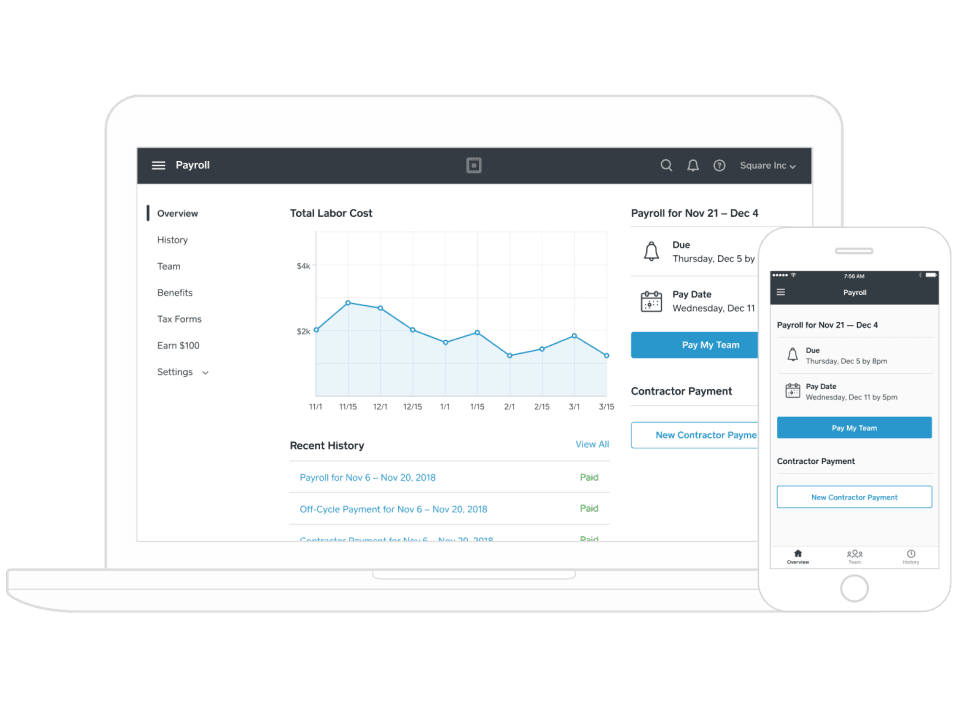
Capterra: 4.6/5 (621 reviews) | G2: 4.2/5 (31 reviews) Pricing: $35/month + $6/person (Employees and Contractors). Contractors-only plan available at $6/person/month.
Capterra reviewers who are already Square users describe the integration as seamless and cite the elimination of manual data transfer as the main benefit.
The criticism pattern is clear: tax filing errors and difficulty getting them resolved through support. One reviewer described tax filings being incorrect every month after switching, with Square requiring them to pay extra for amendments.
What users like:
"I like that staff can clock in and clock out for their shifts with Square Payroll, their tips are automatically added to their paycheck along with commission, and I receive text messages when a payroll run is about to happen so I can double check it." — Emily S., Capterra
What users criticize:
"They have screwed up my tax filings every month since switching to Square Payroll. I've reported it to them every time. Now they want me to pay extra to have them amend my filings." — Verified Reviewer, Capterra
Our take: Square Payroll earns its place as payroll software for small business owners deeply embedded in the Square ecosystem. Outside of that context, the tax filing reliability issues and thin G2 sample size make it harder to recommend. If you're already on Square and don't need benefits administration, it's the path of least resistance.
What works well:
- Native Square POS integration — hours and tips import without manual transfer
- Unlimited pay runs per month at no extra cost
Worth knowing: Limited value outside the Square ecosystem. Benefits administration is narrower than tools like Gusto or OnPay; confirm which benefits are supported before signing up. Some reviewers report difficulties with customer support.
Rippling payroll: best for tech-forward teams.
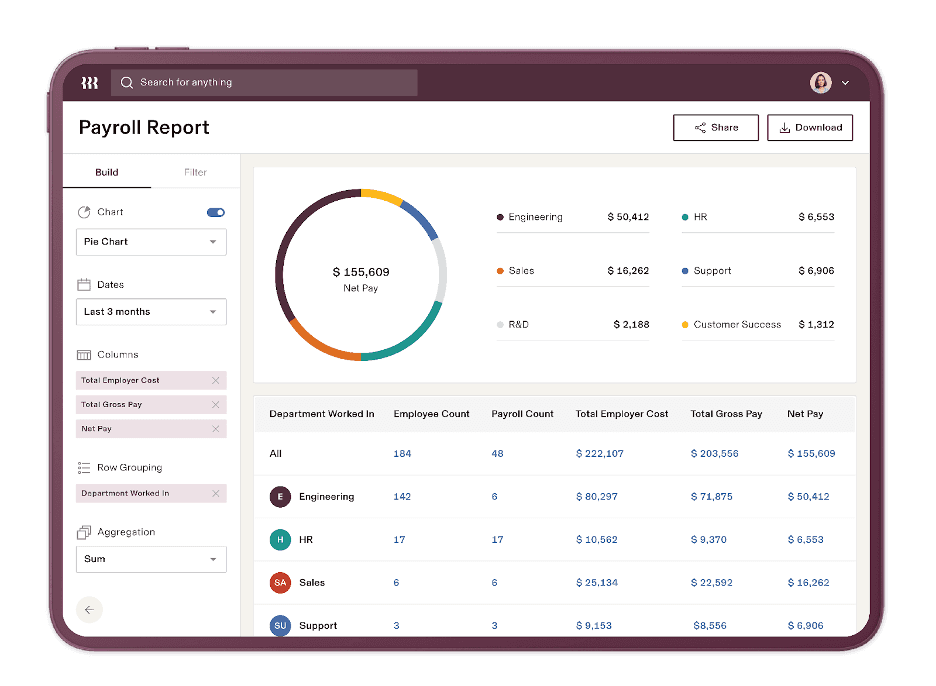
Capterra: 4.9/5 (4,850 reviews) | G2: 4.8/5 (13,116 reviews) Pricing: Requires a custom quote; payroll, HR, and IT modules are priced separately.
Rippling is payroll software for multiple companies or multi-entity teams as much as it is for single locations — payroll connects natively with HR, benefits, IT, and app provisioning across all of them. G2 and Capterra reviewers consistently praise the interface as well-organized on both desktop and mobile. Implementation time varies depending on modules and complexity.
The most common criticism is pricing transparency — costs rise as modules are added, making upfront budgeting difficult. G2 data shows the primary user base is mid-market companies with 51 to 1,000 employees, and smaller businesses often find the cost-to-value trade-off harder to justify.
What users like:
"It's a one stop shop for all of our Human Resources related information. It's easy to access benefits, SSO logins, payroll/tax information, and to design custom learning/training programs within." — Jami S., Capterra
What users criticize:
"We selected Rippling expecting it could support a franchise payroll environment where employees regularly work across multiple locations. That proved not to be the case... Franchise operators and businesses using POS-integrated timekeeping systems should carefully verify multi-location payroll functionality before committing." — Nicole D., Capterra
Our take: Rippling is payroll software for small business teams that have outgrown simpler tools — and it is one of the few payroll software for small business options that spans HR, IT, and finance. For a 5-person retail store, the setup investment and opaque pricing don't make sense. For a 40-person multi-location operation with remote workers, it starts to.
What works well:
- Payroll, HR, and IT in one app — valuable for teams managing remote workers or multiple locations
- Highly customizable workflows and reporting
Worth knowing: Total monthly cost is hard to predict without a full sales conversation. More setup investment than payroll-only tools. Smaller businesses may find the feature depth exceeds what they actually need.
Why Small Business Payroll Tax Penalties Cost More Than You Think
Most errors in payroll software for small business setups start with manual data transfer — hours re-entered by hand from a time clock into a spreadsheet, then into a paycheck. Each hand-off creates a new opportunity for mistakes. Penalties may apply even when an error is unintentional, although relief may be available for reasonable cause.
In fiscal year 2024, the IRS assessed over 4.4 million employment tax penalties totaling nearly $26.9 billion. Failure-to-deposit penalty rates:
- 1–5 days late: 2%
- 6–15 days late: 5%
- More than 15 days late: 10% (rises to 15% after specified IRS notices)
A $15,000 deposit made more than 15 days late would generally trigger a $1,500 penalty, plus interest.
Year-end compounds everything: quarterly 941 filings, the annual 940, and 2026 Forms W-2 due by February 1, 2027. New this year, employers must also report qualifying tips (code TP), qualifying overtime (code TT), and applicable Treasury Tipped Occupation Codes (Box 14b) under the One Big Beautiful Bill Act (OBBBA). We cover that in detail later.
What to Look for in Payroll Software for Small Business
The best payroll software for small business covers six non-negotiables:
- Automated federal, state, and local tax filing. The IRS assigns monthly or semiweekly deposit schedules based on your prior tax liability. Any payroll system you choose should handle this automatically. Miss a deadline and penalties start immediately. Automated filing can substantially reduce missed-deadline and manual-calculation risk. You can read more in IRS Publication 15, the employer's tax guide.
- Direct deposit with predictable timelines. Any payroll software for small business should offer same-day or next-day ACH. Hourly workers often live paycheck to paycheck, and deposit delays hit them hardest.
- Time tracking integration. Manual hour re-entry is one of the most common sources of small business payroll errors. Native integration eliminates the hand-off — hours flow from the time clock to the paycheck without anyone re-entering a number. Pairing a strong employee time clock app with your payroll is the most effective single change most small businesses can make.
- Tip and overtime tracking. As of 2026, OBBBA compliance requires separate tracking and W-2 reporting for qualifying tips and overtime pay. Payroll and HR software for small business that handles this natively saves you a manual step at year-end.
- Transparent pricing. Providers who don't publish pricing make budgeting difficult. Per-run fees, multi-state add-ons, and time tracking upgrades can double your monthly cost. Look for providers that show you the real number upfront.
Payroll Software for Hourly Workers vs. Salaried Teams
When evaluating payroll software for small business, your team type changes everything. Salaried payroll is predictable — fixed amounts, consistent schedule. Hourly payroll is variable every pay period: shift differentials, overtime, multiple wage rates, and tip income all change what's owed. For salaried teams the risk sits at year-end; for hourly teams it shows up every pay period.
For hourly workers, the risk shows up every pay period. The right small business payroll software removes that manual re-entry step entirely — that's where errors compound. The only way to close that gap is to remove it — by choosing a payroll tool where time tracking and payroll are built into the same workflow.
This comes up constantly among real business owners. A recent thread on r/smallbusiness about payroll software for small business captured it well: a 12-person team had been running payroll and time tracking in separate systems and described end-of-year as a scramble to pull reports from multiple places.
The top-voted response cut straight to it — "at your size you don't need all the bells and whistles, just find something that handles payroll and [time tracking] without making you log into seventeen different places to get basic stuff done." That single integration point — payroll services for small business that connect your time tracking — is where most errors either get caught or created.
How Much Does Small Business Payroll Software Cost?
Most payroll software for small business runs $17 to $50/month as a base fee, plus $4 to $8 per active employee. For a 10-person team using payroll software for small business, that's roughly $57 to $130/month. Finding the right payroll software for small business means looking beyond the base price — here's how every major payroll software for small business option stacks up.
If you're looking for cheap payroll software for small business, the base price rarely tells the full story — time tracking, HR tools, and multi-state filing are often paid add-ons that can significantly increase your monthly total.
For more detail on what these payroll services cost across providers — including which fees are hidden — see our dedicated breakdown. And if you're looking for the most affordable option, see what's actually available in free payroll software for small business.
New in 2026: How the OBBBA Changes Payroll Automation for Small Businesses
The One Big Beautiful Bill Act (OBBBA), signed July 4, 2025, introduced "no tax on tips" and "no tax on overtime" provisions for tax years 2025 through 2028. These are income-tax deductions claimed by employees on their individual returns, FICA taxes still apply.
Starting in 2026, employers must separately track qualifying tips and overtime and report them on Form W-2: cash tips using code TP in Box 12, qualifying overtime using code TT in Box 12, and applicable Treasury Tipped Occupation Codes in Box 14b.
Any automated payroll tool must handle all three for full 2026 compliance. Here's what each requirement means in practice:
What it requires from employers. For 2026 W-2s, report cash tips using code TP, qualifying overtime using code TT (both in Box 12), and applicable Treasury Tipped Occupation Codes in Box 14b. W-2 penalties range from $60 to $340 per form; intentional disregard carries a minimum $690 penalty. The 2026 General Instructions for Forms W-2 and W-3 are the authoritative source.
How to Switch Payroll Services Without Losing Sleep
Switching to a new payroll service for small business is straightforward when timed correctly. Here's how to do it without disruption:
- Pull your year-to-date wage and tax reports from your current provider before canceling. You'll need these for quarterly filings and year-end W-2s.
- Gather employee information: W-4s, direct deposit bank accounts, and current wage rates for everyone on payroll.
- Choose your switch date. January 1 is the cleanest time to move to new payroll software for small business. Mid-year is possible, but requires careful YTD data transfer to avoid gaps in quarterly filings.
- Set up your new provider with employee information and run a test payroll before your first live pay run.
- Confirm tax registration in every state where you have employees. Some providers handle this automatically; others require you to do it independently.
- Cancel your old provider only after your first payroll on the new system processes successfully — and after you've saved all historical records.
For a full walkthrough, our guide on how to switch payroll providers covers every step including what to ask your current provider before you leave.
Get the Best Payroll Software for Your Small Business
The right payroll software for small business pays for itself quickly — in time saved, errors avoided, and penalties that never happen. Here's what that looks like in practice.
Lee Hartley at Active Education manages payroll for 40 to 55 remote employees across California school programs. She completes payroll in two hours every two weeks and saves $15,000 to $20,000 annually compared to her previous provider. "Homebase has allowed us to grow with no hiccups," she says. "There haven't been any constraints."
Finding the right payroll software for small business shouldn't be the hardest part of running a shift-based business. Homebase connects your schedule, time clock, and payroll in one app — so hours go straight to paychecks.
FAQs About Payroll Software for Small Business
What is the best payroll software for a small business?
The best payroll software for small business depends on how your team is paid. For hourly teams — restaurants, retail, and services — Homebase connects scheduling, time tracking, and payroll in one app so hours go from clock-in to paycheck without manual re-entry.
For businesses with mixed workforces and benefits needs, Gusto is the better payroll software for small business. For existing QuickBooks users, QuickBooks Payroll integrates directly with your books.
What is the best free payroll software for small business?
None of the full-service providers ranked in this comparison offers permanently free payroll software. Free payroll software for small business with full automated tax filing doesn't exist at this level — compliance infrastructure has real ongoing costs. Some tools offer free trials or limited starter tiers, but automated tax deposits and filings always carry a fee.
Homebase offers free scheduling and time tracking for one location with up to 10 employees; payroll is a paid add-on starting at $49/month + $6/employee.
Can I do my own payroll for my small business?
Running payroll yourself without payroll software for small business is possible but more involved than most owners expect: gross pay calculations, federal and state tax withholding, monthly or semiweekly deposit schedules, quarterly Form 941, annual Form 940, and 2026 W-2s by February 1, 2027 (including Box 12 codes TP and TT and Box 14b). For one or two employees handling payroll for small business manually is manageable — for most the compliance risk outweighs the savings. See our full guide on how to do payroll for your small business if you want to go the DIY route.
What payroll software works best for hourly employees?
The best payroll software for small business with hourly teams needs to handle variable hours, overtime, tip tracking, and multiple wage rates — plus 2026 OBBBA W-2 Box 12 reporting requirements. Homebase is the payroll software for small business built exactly for this, connecting time tracking and tip management directly to payroll so nothing gets re-entered.
Gusto offers scheduling through its paid time-and-attendance functionality; OnPay primarily relies on payroll and time-tracking integrations rather than a comparable native scheduling suite.
How much does small business payroll software cost?
Easy payroll software for small business doesn't have to be expensive. Most payroll software for small business runs $17 to $50/month base plus $4 to $8 per active employee. For a 10-person team, that's roughly $57 to $130/month. Add-ons for time tracking and HR can increase that significantly. Payroll software can cost less than a significant late-deposit penalty, but the comparison depends on team size, plan fees, and the violation.
What changed about payroll for small businesses in 2026?
Every payroll software for small business must now handle new 2026 W-2 reporting requirements. The OBBBA's tip and overtime provisions took full effect this year. Three new W-2 requirements apply:
- Code TP in Box 12 for cash tips
- Code TT in Box 12 for qualifying overtime
- Box 14b for applicable Treasury Tipped Occupation Codes
Penalties range from $60 to $340 per form; intentional disregard carries a minimum $690 penalty. The IRS also issued updated 2026 withholding tables, so payroll systems must use current parameters. The NFIB's employer guidance on no tax on tips and no tax on overtime is a useful plain-language overview.