Best Employee Scheduling Apps for Small Business in 2026


SMALL BUSINESS INTEL, IN YOUR INBOX
Table of contents
Hourly work runs on your schedule. The Bureau of Labor Statistics reports that 80.3 million U.S. workers were paid hourly in 2024, or 55.6% of all wage and salary workers. For many small business owners, that means a weekly puzzle of availability, time-off requests, and last-minute swaps. Most solve it with a spreadsheet and a group text.
The best employee scheduling apps put your whole schedule in one place your team can open on their phones. They vary a lot, though. Some are free for small teams, while others charge per user or per location. A few connect to time clocks and payroll, and others only build the schedule.
We compared eight of the best employee scheduling apps for small businesses on price, free plans, shift swaps, mobile access, and payroll links. Below you’ll find a quick answer, how we chose, all eight apps side by side, and a full review of each one.
The Short Answer: Which Employee Scheduling App Fits Your Team
The best employee scheduling app is the one that fits your team size, industry, and payroll setup. Here are our top picks:
- Connecteam: Frontline and field teams, with a free plan for up to 10 users.
- Deputy: Overtime and break rules for growing, multi-location teams.
- 7shifts: Restaurants that build schedules around sales forecasts.
- Sling: A free plan covering up to 30 users.
- ZoomShift: Low per-user pricing for small hourly teams.

Employee Scheduling Apps Compared at a Glance
Here’s how all eight apps compare on price, free plans, and integrations.
Employee Scheduling Apps Compared at a Glance
| App | Best for | Free tier | Shift swaps | Mobile app | Payroll integration | Starting price |
|---|---|---|---|---|---|---|
Homebase  | Hourly teams that want scheduling, time tracking, and payroll in one app | Yes, one location and up to 10 employees | Yes, shift trades in the app | iOS and Android | Built-in payroll add-on | Free, then $30 per location a month on monthly billing, or $24 on annual billing |
Connecteam  | Frontline and field teams | Yes, up to 10 users | Yes | iOS and Android | QuickBooks, Xero, ADP | Operations hub from $29 a month for the first 30 users, billed monthly |
Deputy  | Compliance and multi-location teams | No, free trial | Yes | iOS and Android | QuickBooks, Xero, ADP, Gusto | $5 per user a month on Lite |
7shifts  | Restaurants | Yes, one location | Yes | iOS and Android | Offers its own payroll product | Per location, so see 7shifts’ pricing page |
When I Work  | Flexible, team-driven shift coverage | No, 14-day trial | Yes | iOS and Android | Gusto, Paychex, QuickBooks Online, Square | $2.50 per user a month, plus a time tracking add-on |
Sling  | Budget-minded small teams | Yes, up to 30 users | Yes, on the free plan | iOS and Android | Check Sling’s integration list | Free, then $2 per user a month |
ZoomShift  | Small hourly teams | Yes, up to 20 users at one location | Yes, on Starter and above | iOS and Android | Payroll reports, so confirm your provider | Free, then $2 per active team member a month |
Calendly  | Booking appointments, not shifts | Yes | No | iOS and Android | None | Free, then paid plans per seat |
Why Trust Homebase?
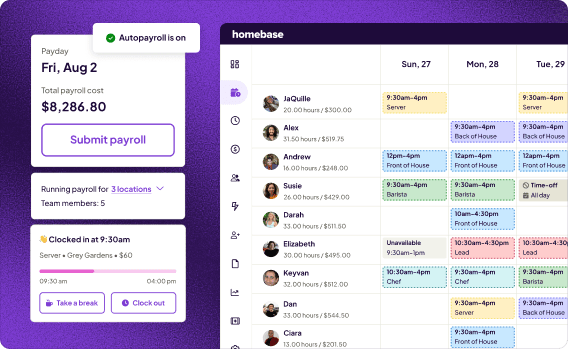
We’re Homebase, and we make an all-in-one app for small businesses with hourly teams. Our app covers scheduling, time tracking, hiring, payroll, and team messaging, with some tools depending on your plan and add-ons. We wrote this guide because choosing an app takes time, and we’d like to make that choice easier.
Homebase isn’t in the ranked list below. We judged every app on its own merits, and we never accept payment or backlinks for a mention.
Best for: Small businesses with hourly teams that want scheduling, time tracking, and payroll in one app.
Rating: G2 4.5 · Capterra 4.6 (1,147 reviews)
Pros:
- A free Basic plan covers one location and up to 10 employees.
- Scheduling, a time clock, and an optional payroll add-on live in one app.
- Open shifts and shift trades happen inside the app.
- The AI Scheduling Assistant builds your schedule from availability, work history, and time-off data (Plus plan).
Cons:
- We price per location, so costs rise as you add addresses.
- Payroll is a paid add-on, and some controls, such as PTO and the Scheduling Assistant, sit on higher tiers.
- Capterra’s review summary flags limited payroll and pricing flexibility.
What users say: A Capterra reviewer put it simply: “The ease of use for my employees to clock in and out.”
Pricing: Our free Basic plan covers one location and up to 10 employees. On monthly billing, Essentials is $30 per location per month, Plus is $70, and All-in-One is $120. Annual billing brings those to $24, $56, and $96. Paid plans include unlimited employees. Payroll is an add-on at $49 a month plus $6 per employee paid. See our pricing page for current plans and offers.
What customers say:
“Scheduling and communication is always one of the hardest parts as a leader. Homebase makes it easier so you can get back to blending your tea or making your muffins or whatever it is you do in business.” Jamila Wright, Co-Owner, Brooklyn Tea
“My mother-in-law did scheduling with pen on paper. Every time you want to make an adjustment, you’re scratching out or erasing.” Fred Sztabinski, Owner, Fix Coffee + Bikes, who now schedules 15 team members across two locations in under 30 minutes a week.
How We Chose the Best Employee Scheduling Apps
We looked at employee scheduling apps built for hourly, shift-based teams and kept the eight that fit small businesses best. Then we ranked them on the criteria that matter most when you choose for a small team:
- Ease of use for managers: How quickly you can build and change your schedule.
- Mobile experience for hourly workers: Whether your team can view shifts, swap, and request time off from a phone.
- Shift-swap friction: How much work a swap or open-shift claim creates for you.
- Integrations: Links to payroll and POS systems.
- Pricing transparency: Clear prices, free-plan limits, and add-on costs.
For each app, we reviewed its pricing and plan details, its G2 and Capterra ratings, and what owners say in communities like r/smallbusiness and r/BarOwners. Prices and free-plan limits change often, so confirm them on each app’s pricing page before you commit. You can read more on our methodology page.
The Best Employee Scheduling Apps for Small Business
Connecteam
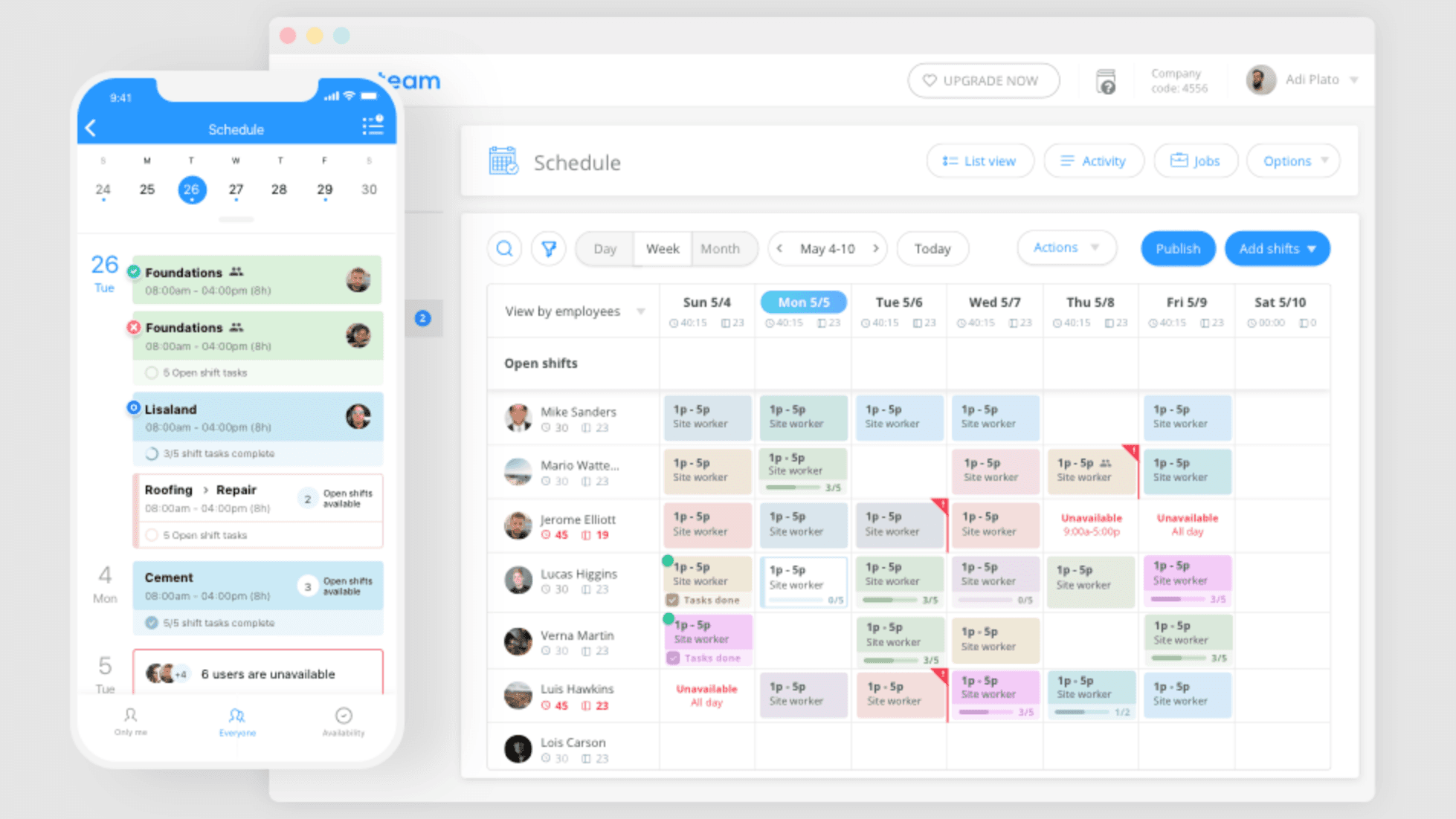
Connecteam puts scheduling, a GPS time clock, task checklists, and team chat in one mobile-first app. Field service, construction, cleaning, and healthcare teams spread across job sites get the most from it. The free small business plan covers up to 10 users, while larger teams pay by hub.
Best for: Frontline and field teams that want scheduling, communication, and tasks in one app.
Rating: G2 4.6 (3,498 reviews) · Capterra 4.6 (5,318 reviews)
Pros:
- A free small business plan covers up to 10 users.
- Job scheduling comes with GPS clock-in, geofences, and shift tasks.
- Chat, announcements, and a knowledge base sit in the same app.
Cons:
- Pricing is by hub, so your total depends on which hubs you add.
- Communications and HR and Skills hubs are priced separately.
- Some Capterra reviewers say its calendar and scheduling could use polish.
What users say: A Capterra reviewer wrote, “Connecteam is so very easy to set up and use!”
Pricing: The Operations hub starts at $29 a month on monthly billing for up to 30 users, with Advanced at $49 and Expert at $99. Extra users cost $0.80 each on annual billing and $1.00 on monthly billing. The small business plan is free for up to 10 users.
Our take: Connecteam shines when your team works away from a desk. Run one storefront with a fixed crew, and you may pay for task and training tools you never open.
Deputy
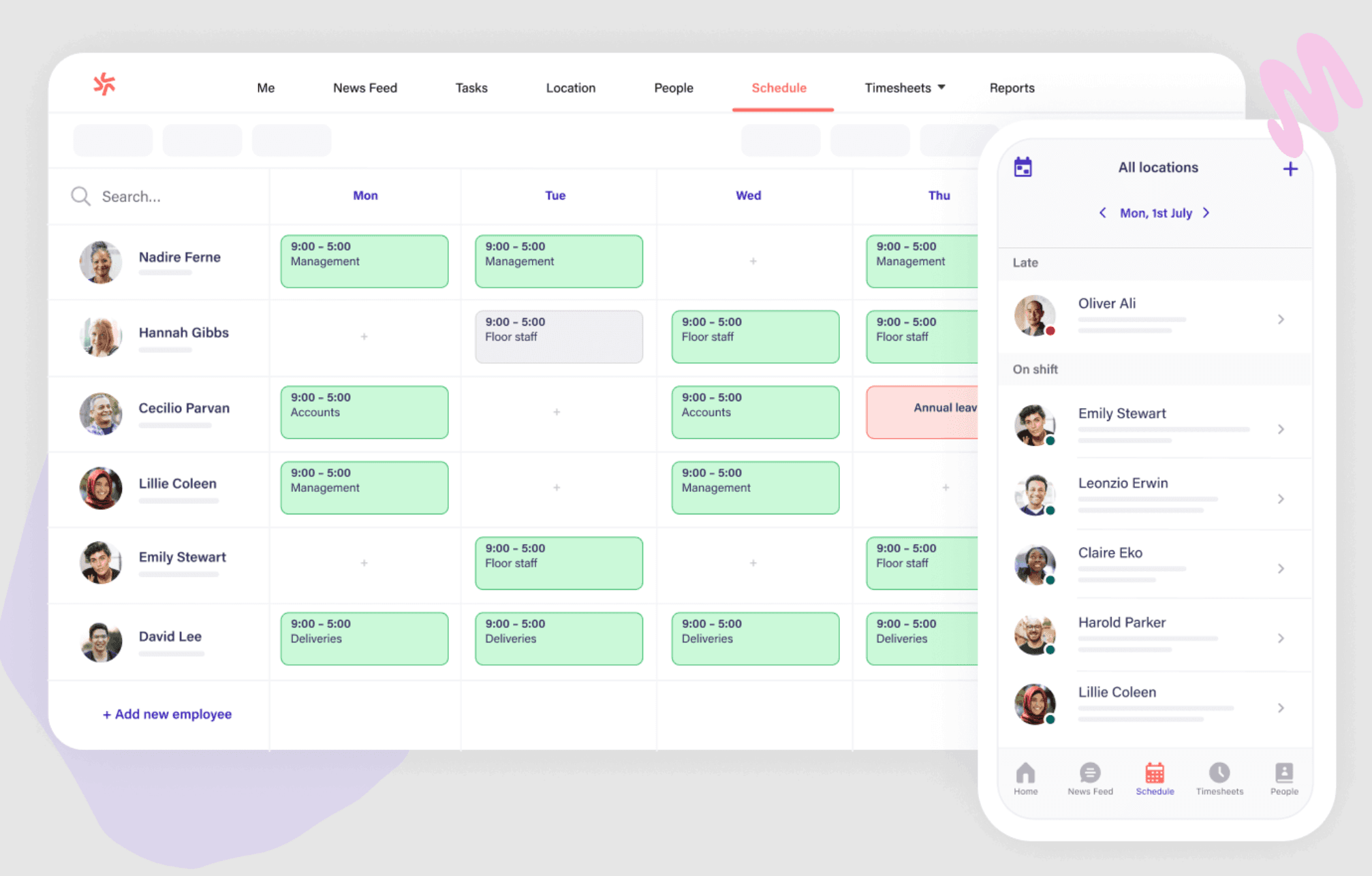
Deputy builds your schedule around demand, wage costs, and break and overtime rules. Owners with several locations use it to catch overtime before it reaches payroll. It tends to suit larger teams, since the per-user price climbs as headcount grows.
Best for: Businesses focused on labor cost control and compliance.
Rating: G2 4.6 (662 reviews) · Capterra 4.6
Pros:
- Auto-scheduling and demand forecasts predict busy and slow times (Core and above).
- Labor-law compliance tools cover break and overtime rules.
- Shift swaps and replacement tools help you fill gaps fast.
Cons:
- Per-user pricing adds up for larger teams.
- Facial recognition and forecasting sit on Core and above.
- Some Capterra reviewers report slow loads and a cramped view for multiple locations.
What users say: A Capterra reviewer said, “Deputy makes scheduling very easy and organised.”
Pricing: Lite is $5 per user a month, Core is $6.50, and Pro is $9, before taxes. There’s no permanent free plan, but Deputy offers an introductory free trial.
Our take: Deputy pays off when overtime and break rules shape your schedule. A five-person shop with simple shifts would pay for rules and forecasts it may never use.
7shifts
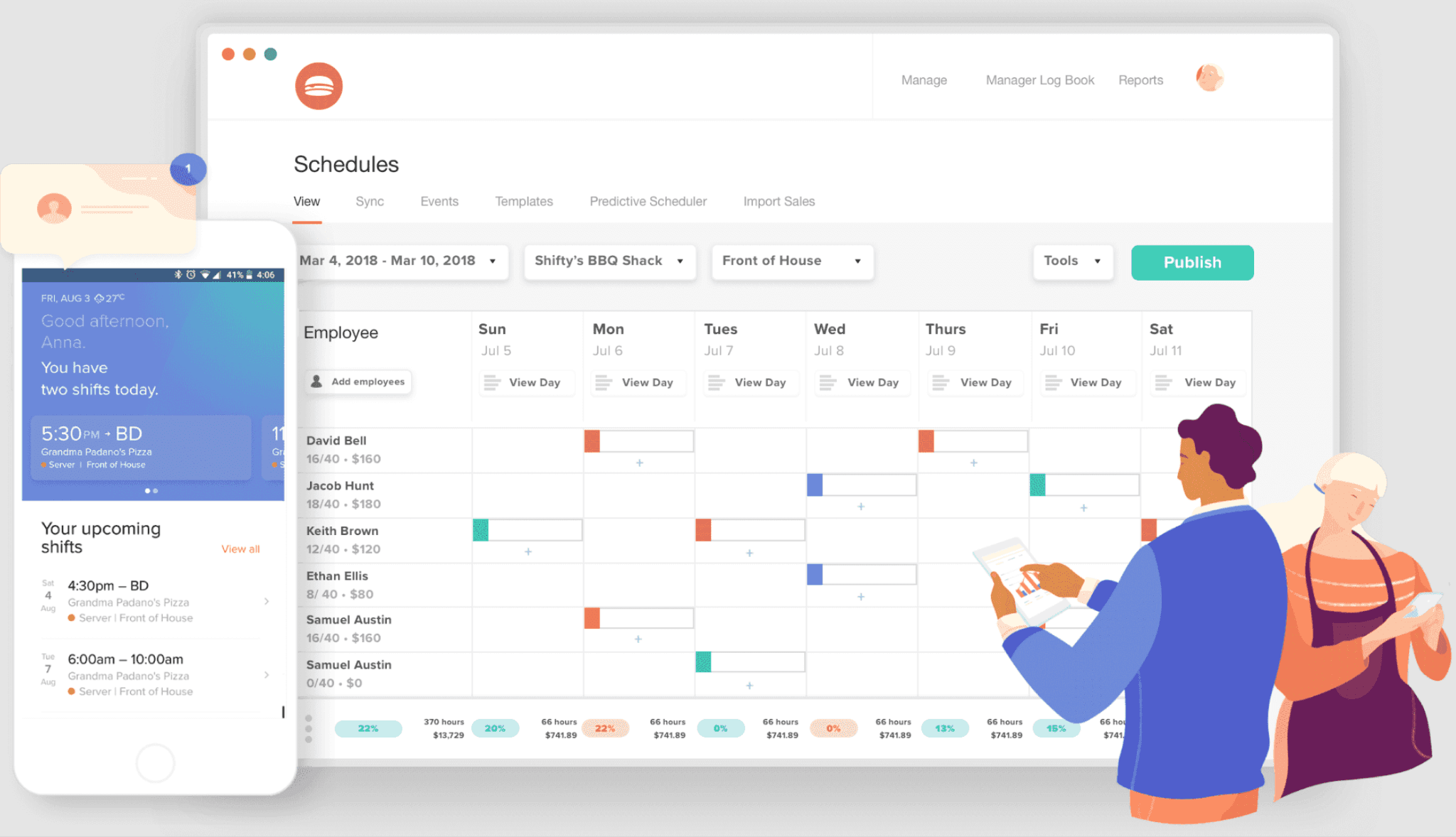
7shifts is made for restaurants and bars. It matches labor to sales forecasts and connects to Toast, Square, and Clover, with tip tools on higher tiers. Outside food and beverage, you’ll likely pay for depth you don’t use.
Best for: Restaurants that need sales-based labor forecasting and tip management.
Rating: G2 4.5 (121 reviews) · Capterra 4.7 (1,212 reviews)
Pros:
- Labor forecasts tie to your sales and POS data.
- A manager logbook keeps shift notes in one place.
- Tip management and tip pooling are available on higher tiers.
Cons:
- Tip tools and compliance features cost more on higher tiers.
- Per-location pricing stacks up fast for multi-unit owners.
- Some Capterra reviewers say pricing keeps rising and useful extras cost more.
What users say: One Capterra reviewer called it a “restaurant focused scheduling system.”
Pricing: There’s a free plan for one location with an employee cap. Paid plans are priced per location, and plan names and prices have changed recently, so check 7shifts’ pricing page for today’s numbers. Paid plans come with a free trial.
Our take: Pick 7shifts if your POS is on its integration list. Per-location pricing favors restaurants with large teams at each site.
When I Work
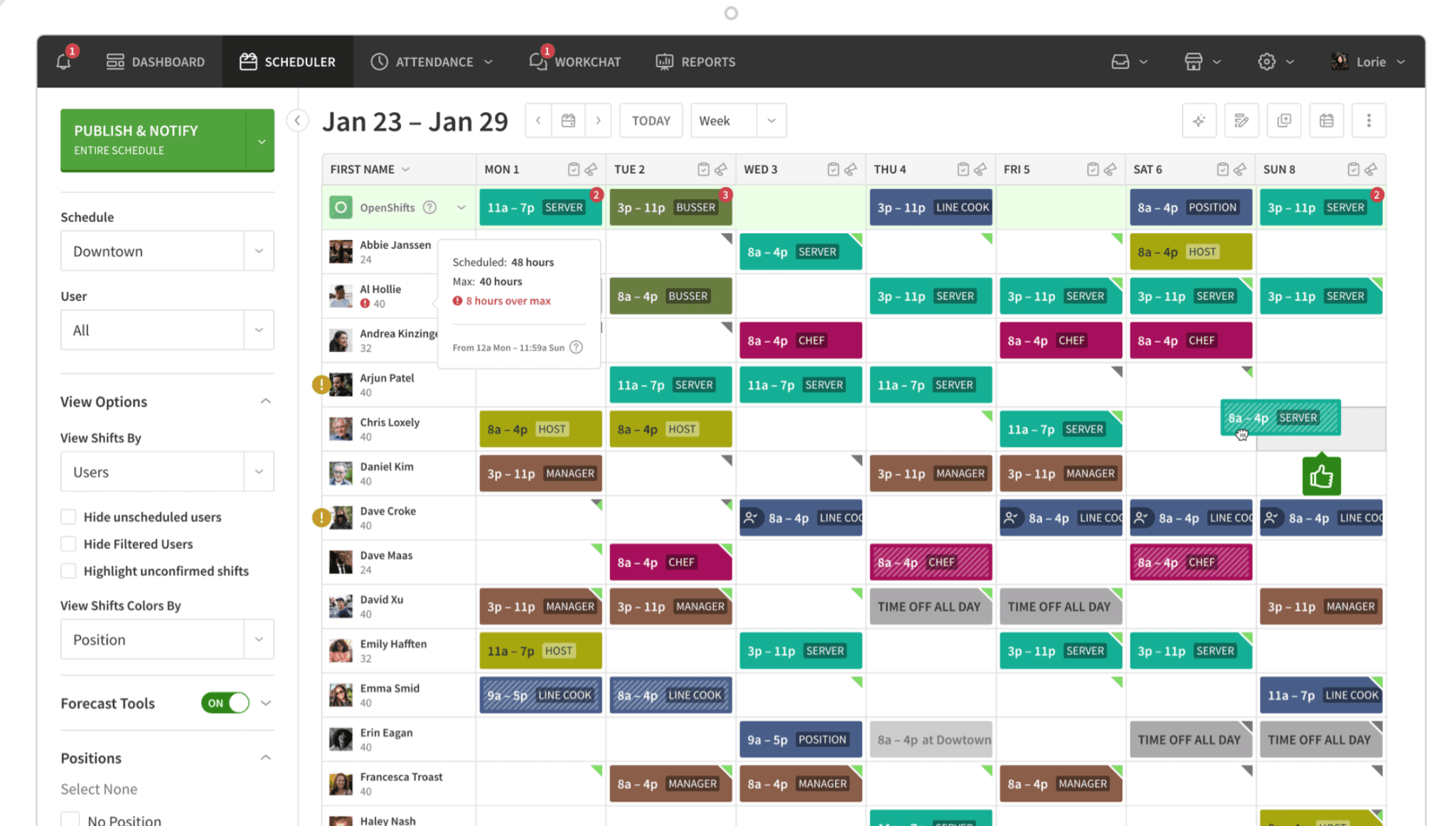
When I Work keeps scheduling simple and hands coverage to your team through shift swaps, open shift claims, and availability settings. Small teams that want a clean tool without extra complexity will find it affordable. Time tracking costs extra, so add that to your math.
Best for: Teams that need flexible, team-driven shift coverage.
Rating: G2 4.4 (375 reviews) · Capterra 4.5 (1,292 reviews)
Pros:
- Setup is quick, and the app stays simple.
- Shift swaps, open shifts, and availability settings give your team control.
- Team messaging is built in.
Cons:
- Time tracking is a separate add-on.
- There’s no permanent free plan.
- One Capterra reviewer found the drop-shift and swap options confusing to locate in the app.
What users say: A Capterra reviewer wrote, “Easy to use, it is a great way to stay on top scheduling.”
Pricing: Essentials is $2.50 per user a month, Pro is $5, and Premium is $8. These prices don’t include the time tracking and attendance add-on. There’s no permanent free plan, but you can start with a 14-day trial.
Our take: When I Work fits a team of about ten that wants swaps handled in the app. Add the time tracking cost before you compare it with all-in-one options.
Sling
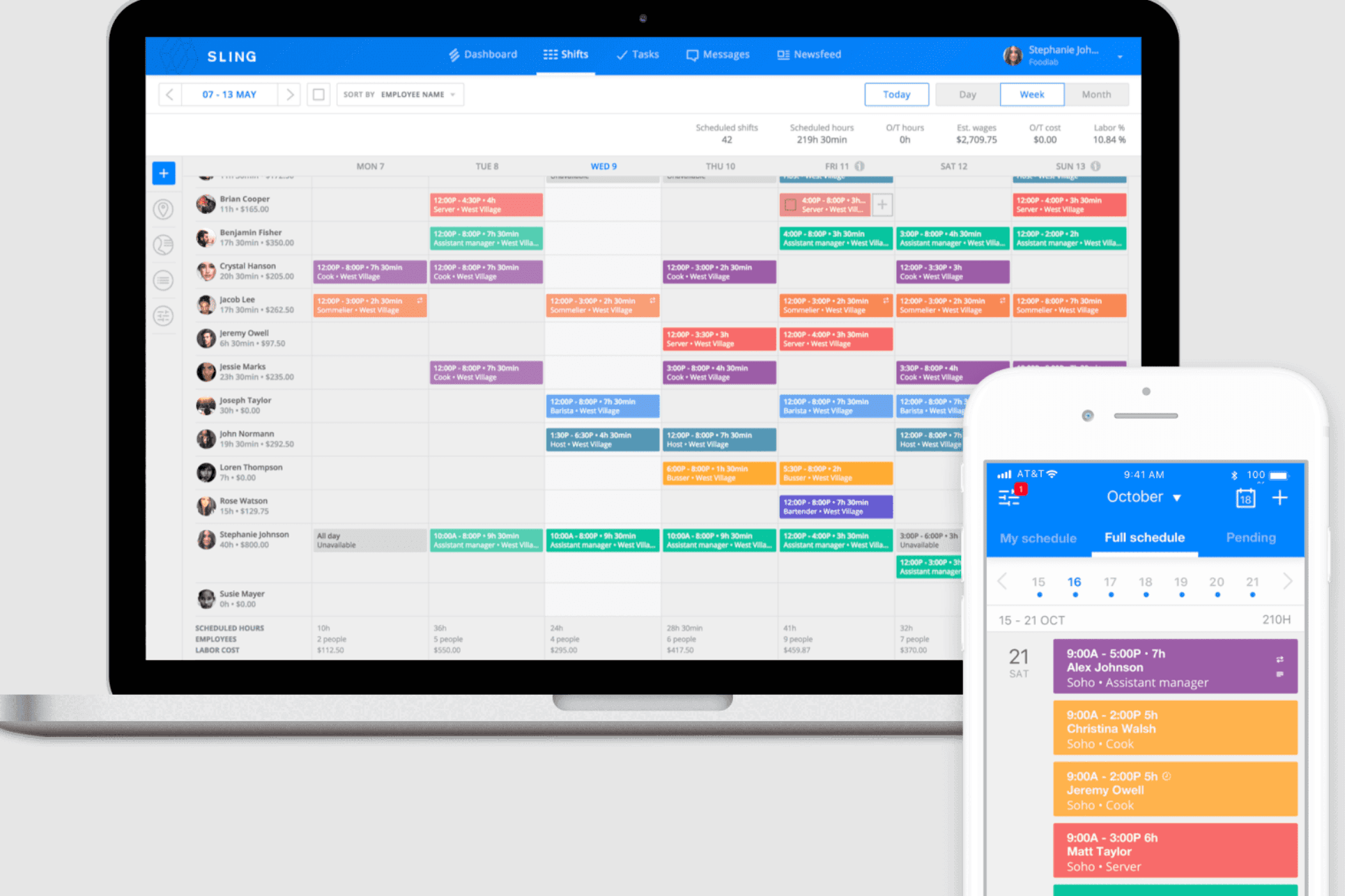
Sling’s employee scheduling app has a free plan that covers up to 30 users. You get scheduling, shift trades, time-off requests, and messaging at no cost. Time tracking and labor cost tools come with paid plans.
Best for: Budget-minded small teams that want solid scheduling without per-employee costs at the start.
Rating: G2 4.4 (88 reviews) · Capterra 4.6 (207 reviews)
Pros:
- The free plan covers up to 30 users.
- Paid plans start at $2 per user a month.
- Drag-and-drop scheduling and shift alarms keep editing quick.
Cons:
- Time tracking and labor cost tools require a paid plan.
- Some Capterra reviewers say free-plan features are limited and the app can feel slow or glitchy.
- One reviewer called messaging unintuitive.
What users say: A Capterra reviewer wrote, “Incredibly easy to use, drag and drop” when describing the schedule builder.
Pricing: Free for up to 30 users. Premium is $2 per user a month, or $1.70 billed annually. Business is $4 per user a month, or $3.40 billed annually. Paid plans include a 15-day trial.
Our take: Sling works well when you need a schedule and shift swaps for free. You’ll move to a paid tier once you want a time clock tied to payroll, so price that step before you onboard your team.
ZoomShift
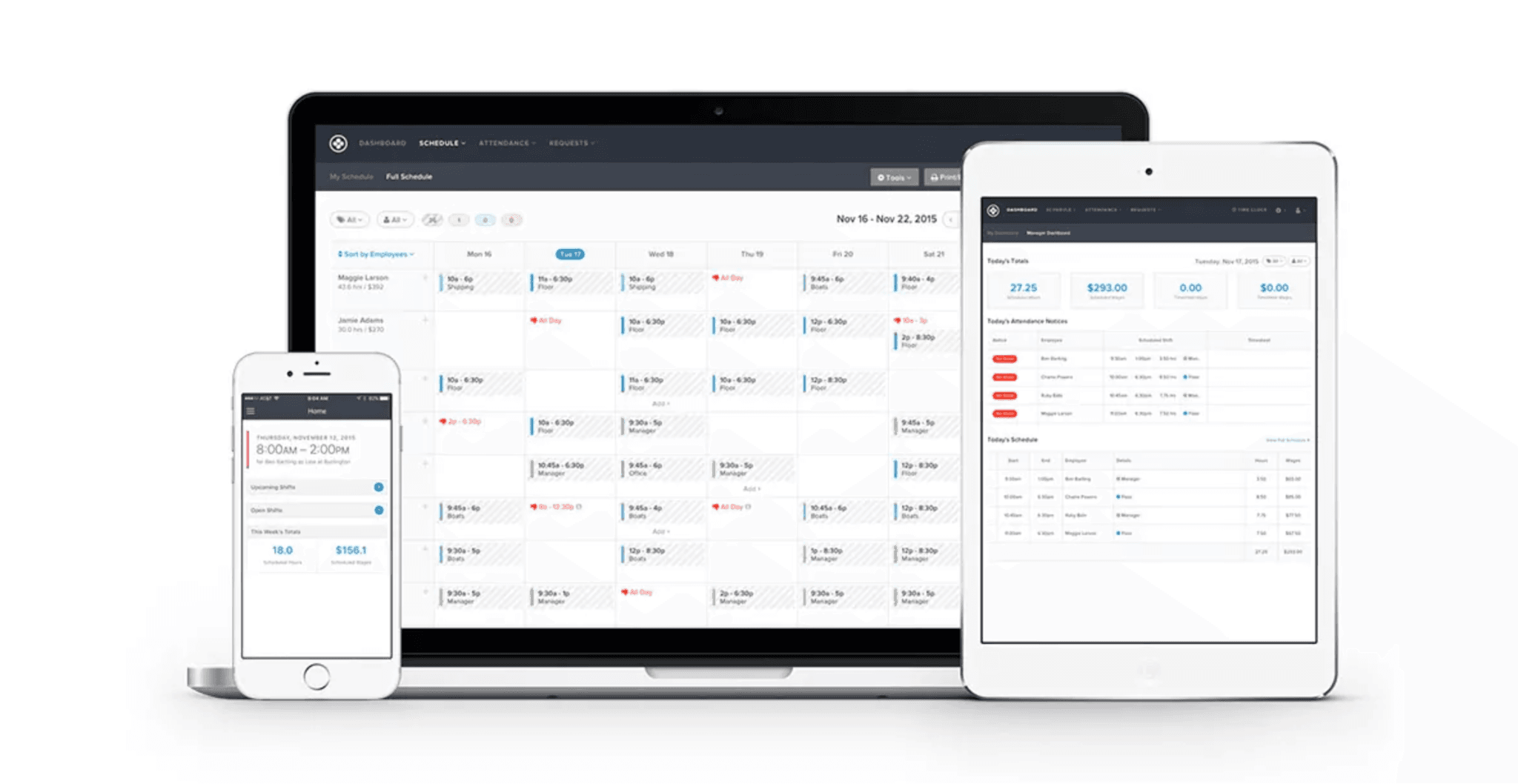
ZoomShift is employee scheduling for hourly teams, with a built-in time clock and timesheets. Pricing is per active team member and starts low, which keeps costs friendly for small teams. The free Essentials plan covers up to 20 users at one location.
Best for: Small hourly teams that want low per-user pricing.
Rating: Capterra 4.5 (118 reviews)
Pros:
- The free Essentials plan covers up to 20 users.
- Starter costs $2 per active team member a month.
- Shift swaps, a time clock, and timesheets come with Starter.
Cons:
- The free plan covers one location and schedules two weeks ahead.
- Confirm that it supports your payroll provider before you commit.
- Some reviewers on GetApp mention a slow mobile app and frequent logouts.
What users say: A Capterra reviewer wrote, “The pricing doesn’t hurt and customer support is on point.”
Pricing: Essentials is free for up to 20 users at one location. Starter is $2 per active team member a month, and Premium is $4. Any plan comes with a 14-day free trial and no credit card required.
Our take: ZoomShift is a fair pick when you want swaps and a time clock for a few dollars per person. Confirm it supports your payroll provider before you commit.
Calendly
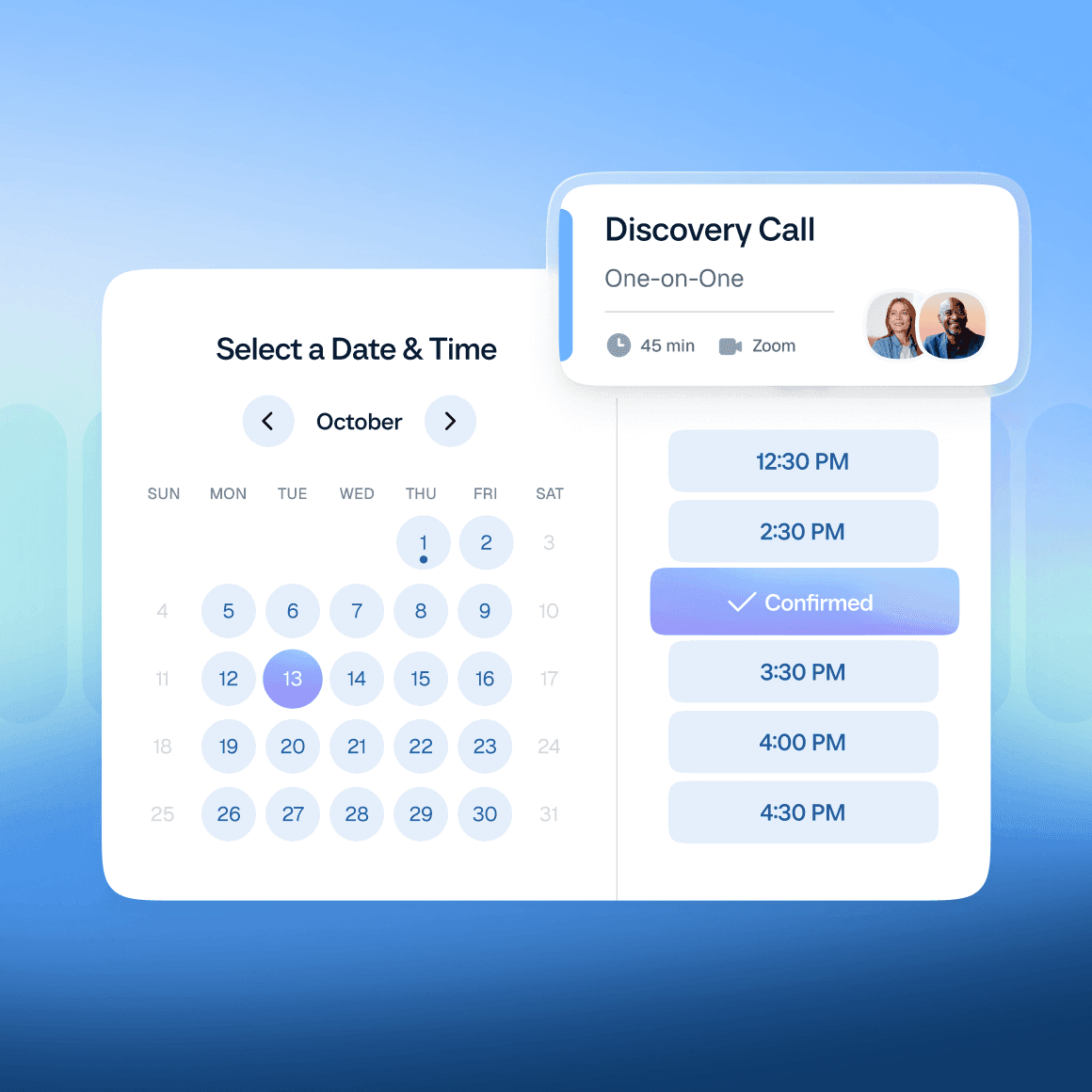
Calendly is a well-known booking tool, so it shows up in many “scheduling app” searches. It lets clients and teammates book time on your calendar without back-and-forth emails. It doesn’t build shift schedules, so most hourly teams need a different app.
Best for: Booking appointments and meetings, not scheduling shifts.
Rating: Capterra 4.7 (4,108 reviews)
Pros:
- Booking links remove the back-and-forth of finding a time.
- A free plan is available.
- Calendar syncing works with the tools you already use.
Cons:
- It has no shift swaps, labor cost tracking, or time clock.
- It’s built for appointments, so recurring shifts don’t fit.
- One Capterra reviewer said the free tier feels restrictive.
What users say: A Capterra reviewer wrote, “It removes endless back-and-forth emails.”
Pricing: Calendly offers Free, Standard, Teams, and Enterprise plans. Check Calendly’s pricing page for current per-seat rates.
Our take: Calendly is the right tool when customers book your time. It’s the wrong tool when your team needs a weekly shift schedule.
Also Worth a Look
Buddy Punch is a time clock first, with scheduling included on its Pro and Advanced plans and a $1 per user add-on on Starter. Starter is $4.99 per user a month billed annually, plus a $19 monthly base fee.
QuickBooks Time adds job and shift scheduling to GPS time tracking and syncs with QuickBooks payroll. Premium is $20 a month plus $10 per user, and it requires a qualifying QuickBooks subscription.
What’s New in Employee Scheduling in 2026
Automation is now a common part of this category. Deputy builds schedules from demand forecasts on its Core plan and above, and 7shifts ties labor targets to your sales data.
We offer an AI Scheduling Assistant on our Plus plan. It builds your schedule from availability, work history, and time-off data, so you start from a draft instead of a blank grid. Sean McLaren of Plato’s Closet put it this way: “I used to spend 6 hours a month fixing schedules. Now? I spend 6 minutes checking them.”
Whatever app you choose, review any generated schedule before you publish it. Conflict checks vary between apps, and you know your team’s needs best.
Employee Scheduling App FAQs
What Is the Best Employee Scheduling App?
The best employee scheduling app depends on your team size, industry, and payroll setup. Connecteam works for field teams, Deputy for compliance-heavy teams, 7shifts for restaurants, and Homebase for hourly teams that want scheduling, time tracking, and payroll in one app.
List what matters most to you, then trial two or three apps with a full week of shifts before you decide.
What Is the Best Free Scheduling App for Small Business?
Connecteam’s free small business plan covers up to 10 users, ZoomShift’s covers up to 20 at one location, and Sling’s covers up to 30. Homebase’s free Basic plan covers one location and up to 10 employees.
Check user caps and time tracking before you commit. Owners in this r/smallbusiness thread often compare free plans on exactly these limits.
Which Scheduling App Has Shift Swaps?
Most apps in this guide let team members trade shifts, usually with manager approval. When I Work and Sling center on self-service swaps, Deputy adds tools for finding a replacement, and Homebase offers shift trades inside the app.
During your trial, ask a few team members to try a swap on their own phones. Their reaction will tell you more than a feature list.
What Is the Best Scheduling Software for Restaurants?
7shifts is made for restaurants, with labor forecasts tied to sales and POS integrations. Deputy fits multi-location groups that need compliance controls, and Homebase connects scheduling to POS systems, time tracking, and payroll.
Confirm that your POS system is supported first. Owners in this r/BarOwners thread compare low-cost options for bars and restaurants.
Is There Anything Better Than Calendly for Employee Scheduling?
Yes. Calendly books appointments, so it doesn’t handle shifts, shift swaps, labor costs, or time clocks. Pick an app built for recurring shifts that also covers availability and time-off requests.
Connecteam, Deputy, When I Work, and Homebase all serve shift-based teams in ways Calendly doesn’t.
How Much Do Employee Scheduling Apps Cost?
Per-user plans in this guide start around $2 to $10 per user each month at the entry tier, and some add a monthly base fee. Per-location plans, like 7shifts and Homebase, charge for each address instead.
Per-user pricing costs less for small teams, while per-location pricing holds steadier as your headcount grows. Add any time tracking or payroll add-ons to your estimate.
Do Free Scheduling Apps Stay Free as Your Team Grows?
Often not. Free plans cap users, locations, or features, and owners in the r/smallbusiness thread above flag surprise paywalls.
Read the caps before you onboard your team, and compare the first paid tier. Not ready for an app yet? A schedule template can bridge the gap while you test options.
Do Employee Scheduling Apps Connect to Payroll?
Many do, through built-in payroll or connections to providers such as QuickBooks, Gusto, Paychex, and ADP. Homebase offers payroll as an add-on, and When I Work sends hours to Gusto, Paychex, QuickBooks Online, and Square.
Ask each app how hours move from timesheets to payroll, and whether you re-enter anything.
What Should I Look for in an Employee Scheduling App?
Look for a mobile app your team will open, a free or low-cost plan, shift swaps and open shifts, and a payroll link. A web-based scheduler you can use from any computer helps too.
Run the same test week in every trial: build a schedule, swap a shift, and send hours to payroll.
Can an Employee Scheduling App Build Your Schedule With AI?
Yes. Several apps now build schedules from availability, roles, and labor targets. Deputy uses demand forecasts on its Core plan and above, and Homebase offers a Scheduling Assistant on its Plus plan.
Review any generated schedule before you publish it, since conflict checks vary.
Pick the Right Employee Scheduling App for Your Team
Every app in this guide can move your team off spreadsheets and group texts. The right one depends on your team size, your industry, and how you run payroll. Start with a free plan or trial, build a full week of shifts, and ask your team members how it feels on their phones.
If you’d like to add us to your shortlist, we make Homebase for small businesses with hourly teams. You can build your schedule, trade shifts, and track time in one app. Our free Basic plan covers one location and up to 10 employees, and you can try All-in-One free for 14 days with no credit card.
Try Homebase free. Let’s make your team unstoppable.